
Cloud access
Work from the browser on any device with internet access. Confirm with AdvantageLaw how your current install is accessed (local workstation, remote desktop, or otherwise).
AdvantageLaw is long-standing Windows desktop practice-management software. LeanLaw is cloud legal billing built for QuickBooks Online — so your firm’s money work lives with the books, not in a separate desktop silo.
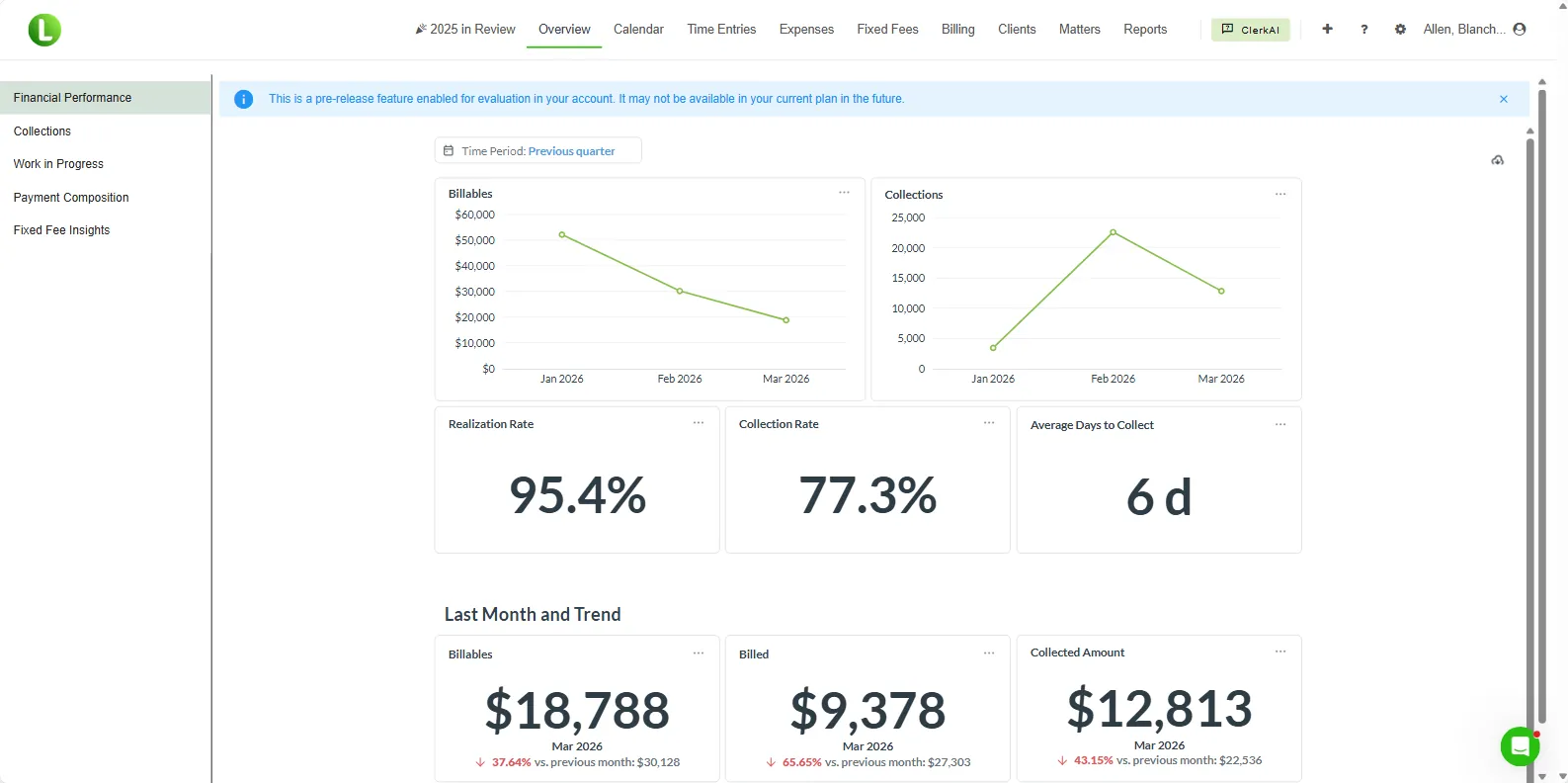
Built for QuickBooks Online
1,000+
law firms run on LeanLaw
70%
faster invoice collections
$61K
leaked revenue recovered per attorney each year
20–50×
ROI for a typical 10-attorney firm
Figures reflect aggregate results reported by LeanLaw customers. Individual firm results vary.
Getting usable data out of AdvantageLaw typically means building custom reports inside AdvantageLaw. That work belongs to your firm or a specialist you hire — it is not a standard LeanLaw migration service. LeanLaw onboarding can still help you configure QuickBooks Online and train your team once you are ready to bill in LeanLaw.
AdvantageLaw details below reflect common third-party directory descriptions of a Windows desktop practice-management suite. Confirm current AdvantageLaw packaging with the vendor.
LeanLaw is legal billing, time, and trust workflows on QuickBooks Online — not a full practice-management replacement for every AdvantageLaw module. Keep AdvantageLaw (or another archive) if you need historical invoices, documents, or features LeanLaw does not cover. Confirm the gap in a demo before you buy.
| Feature | AdvantageLaw | LeanLaw |
|---|---|---|
| Access model | Primarily Windows desktop practice-management software (directory listings) | Cloud software — use from the browser with mobile apps available |
| QuickBooks Online | We could not confirm a native QuickBooks Online sync from public listings. Confirm current QuickBooks options with AdvantageLaw. | Built for QuickBooks Online — invoices, payments, and trust activity sync to QBO |
| Billing & books | All-in-one desktop suite (time, billing, trust, GL) per vendor descriptions | Legal billing that posts into your QuickBooks Online books |
| Trust accounting | Trust accounting included in the suite (vendor/directory descriptions) | Matter-level trust ledgers and trust reports that support three-way reconciliation in QuickBooks Online |
| Updates & support | Desktop practice-management software; current license and support terms should be confirmed with AdvantageLaw | Subscription includes product updates; support included with your plan |
| Moving your data | No standard data export — retrieving data typically means building custom reports inside AdvantageLaw | LeanLaw does not pull AdvantageLaw data for you. If your firm builds custom reports and brings files over, we can advise on LeanLaw setup — that retrieval work is yours (or a specialist you hire), not a standard LeanLaw service |
Work from the browser on any device with internet access. Confirm with AdvantageLaw how your current install is accessed (local workstation, remote desktop, or otherwise).
Legal billing designed to post invoices, payments, and trust activity into QuickBooks Online.
Matter-level trust tracking and reports that support three-way reconciliation in QuickBooks Online — the formal recon is completed in QBO with LeanLaw as a data source.
We learn your matters, billing workflow, and QBO setup — and we’re clear up front that AdvantageLaw data retrieval (usually custom reports) is your firm’s responsibility, not something LeanLaw normally runs for you.
If you need opening balances or lists in LeanLaw, your firm builds custom reports in AdvantageLaw (or hires someone to). LeanLaw does not normally do that retrieval. We do not certify completeness of anything you bring over.
We help connect LeanLaw to your QuickBooks Online account and train the people who will bill. Many firms start LeanLaw fresh for new work and keep AdvantageLaw as a read-only archive. First-invoice timing depends on QBO setup and how fast you cut over — not on LeanLaw extracting AdvantageLaw.
“Tracking payments to specific matters was a nightmare before LeanLaw. Now everything syncs to QuickBooks automatically. We see invoices paid 70% faster.”
“We've used LeanLaw for a year and a half and we're able to invoice our clients within two to three days, versus 10 or 12 — quickly and electronically, and they pay us faster, which increases our cash flow.”
“As a bookkeeper in the legal industry, I appreciate how well LeanLaw integrates with QuickBooks Online. It is simple to use and makes keeping up with law-firm finances far easier.”
AdvantageLaw is long-standing Windows desktop practice-management software used by law firms for billing, time, trust, and accounting. Firms that adopt QuickBooks Online often want legal billing that posts into that QBO ledger rather than keeping billing in a separate desktop application. LeanLaw is built for that QBO-connected workflow.
No. LeanLaw does not log into AdvantageLaw or retrieve data for you. Getting data out of AdvantageLaw typically means your firm (or someone you hire) builds custom reports inside AdvantageLaw — and that retrieval is not something LeanLaw normally does for customers. If you independently produce files we can work with, onboarding can help you get set up in LeanLaw.
Not automatically — and often not at all without significant effort on your side. AdvantageLaw does not offer a simple full-history handoff into LeanLaw. Any data you bring over usually comes from custom reports you create (or pay someone else to create). LeanLaw does not promise a complete historical archive in LeanLaw. Expect to keep AdvantageLaw (or another archive) for history unless you choose to rebuild what you need.
Yes. LeanLaw is built to work with QuickBooks Online, so an active QBO subscription is required. Many firms already keep books in QuickBooks alongside desktop practice software — LeanLaw is designed to connect legal billing to that QBO ledger.
LeanLaw maintains matter-level trust ledgers and provides trust reports that support the three-way reconciliation process (bank, books, and client ledgers). Per LeanLaw’s support documentation, the formal three-way reconciliation is completed primarily in QuickBooks Online using LeanLaw trust data as one of the three components — not as a fully hands-off automated black box.
Yes. Support is included with LeanLaw plans. Response times vary by channel and queue; we do not guarantee a specific average on this page.
Book a demo to walk through billing, trust ledgers, and a realistic cutover — including that AdvantageLaw data retrieval is typically custom reports on your side, not a LeanLaw-owned migration.
Take control of your firm's financial health with one connected revenue experience — the next step is a demo with your data, not ours.
1,000+
law firms run on LeanLaw
70%
faster invoice collections
$61K
leaked revenue recovered per attorney each year
20–50×
ROI for a typical 10-attorney firm
Figures reflect aggregate results reported by LeanLaw customers — faster collections, recovered revenue, and ROI. Individual firm results vary.