


Key Takeaways:
- Streamline billing and payments: Explore ten top legal billing software options (including LeanLaw) that help family law firms track time, invoice clients, accept online payments, and manage trust accounts efficiently.
- Focus on trust & compliance: Learn which tools excel at trust accounting (critical for retainers/IOLTA compliance) and integrate with accounting platforms like QuickBooks to keep your books accurate.
- Right fit for small firms: Compare features, costs, and integrations to find the best solution for small and mid-sized U.S. family law firms, with insights on ease of use, client portals, and support to boost your firm’s productivity.
Family law practices face unique billing challenges – from managing upfront retainers in trust to handling frequent billing adjustments and payment plans for clients under financial strain. With limited staff and emotionally charged cases, small and mid-sized family law firms need billing software that ensures compliance and saves time.
In fact, modern legal billing tools can significantly improve efficiency: 65% of law firms used online time-tracking software in 2023, and 78% now accept credit card payments online – a trend driven by the need to get paid faster and reduce administrative burden. The right billing software can help your firm capture more billable hours, automate invoicing, and make it easier for clients to pay – all while maintaining the trust and transparency that family clients expect.
LeanLaw’s Editorial Perspective
This article is produced by LeanLaw, a legal billing software provider. Our goal is to offer an objective, journalistic review of the top billing solutions for family law firms – including our own product (LeanLaw) – in a fair, fact-driven manner. LeanLaw has a unique position in the legal tech space: we specialize in the financial side of practice management rather than trying to be an all-in-one platform.
Co-founded by a former attorney, LeanLaw was built “by lawyers, for lawyers,” focusing on intuitive workflows for time tracking, billing, trust accounting, and reporting. We also emphasize deep integration with QuickBooks Online and features like attorney compensation tracking that many generalist platforms lack.
In this guide, we’ve strived to be transparent about LeanLaw’s strengths while providing balanced summaries of all ten solutions. Every firm’s needs are different – our aim is to equip you with clear information to make an informed decision.
Below, we evaluate 10 of the best legal billing software solutions for family law firms in 2025. Each solution is assessed on key features like time tracking, invoicing, payment processing, trust accounting, integrations, and cost, as well as other factors lawyers consider (ease of use, client portal, support, etc.). Whether you prefer an all-in-one practice management suite or a specialized billing tool, this list will help you find a solution that fits your firm’s needs.
1. Clio Manage
Overview
Clio is one of the most widely-used legal practice management platforms, offering a comprehensive suite of tools – including robust billing features – in a cloud-based system. It’s popular among small firms for its all-in-one approach, combining case management with time and billing. Clio’s billing module is designed to help firms get paid faster and it includes conveniences like a secure client portal (Clio Connect) and automated payment plans.
Payment Features
Clio comes with Clio Payments, allowing firms to accept credit card payments online (powered by LawPay/Stripe integration) while staying compliant with trust accounting rules. Clients can pay invoices through the portal or even in person via Clio’s mobile app tap-to-pay feature. Clio can automatically calculate interest on overdue invoices and apply late fees or early-payment discounts to encourage timely payments.
Time Tracking
Clio includes built-in timers and time entry tools on web and mobile. Lawyers can run multiple timers, easily associate time entries with matters, and use Clio’s mobile app to capture time on the go. These time entries flow directly into Clio’s billing system, reducing the manual effort of recording time and creating invoices. For firms that struggle with capturing all billable hours, Clio’s easy time tracking can be a boon – it replaces the old “legal pad” method with a digital timer so no time is lost.
Invoicing
Invoices in Clio are highly customizable – you can create branded invoices and templates, include detailed time and expense entries, and even generate LEDES billing formats for clients that require task codes. Batch billing is supported, so you can approve and send multiple invoices at once. Clio’s system also enables payment plans (scheduling recurring charges) and can automate invoice reminders to clients. All invoices can be shared via the secure client portal, so family law clients can view their bills privately and ask questions or pay online. Clio’s portal and detailed billing help improve transparency – critical for maintaining trust in family law matters.
Trust Accounting
Clio Manage allows firms to track client trust account balances and handle retainers within the platform. You can log trust deposits, apply trust funds to invoices, and monitor trust ledger reports. Clio will warn you if a payment would overdraw a client’s trust balance, helping prevent compliance missteps. However, Clio is not a full accounting program – it provides basic trust tracking and reports, but many firms still perform monthly trust reconciliations in QuickBooks or another accounting tool for full compliance.
Clio does offer a QuickBooks Online sync (one-way), which pushes invoices and payments into QuickBooks for record-keeping. This integration is useful, though not as seamless or real-time as LeanLaw’s (Clio’s sync requires some manual review to ensure both systems match up).
Cost
Clio’s pricing is tiered. The EasyStart plan (focused on basic billing, scheduling, and contacts) starts around $49 per user/month, while higher tiers (Essentials, Advanced, Complete) range from about $89 up to $159 per user/month for added features like advanced reporting, CRM (Clio Grow), and automation tools. For a small firm, the entry plan covers core billing needs; larger family firms or those wanting the full practice management suite might consider the higher tiers.
Clio’s cost is on the higher side, but it’s valued for its reliability and breadth. Many find the interface modern and fairly easy to learn, though new users may feel overwhelmed at first by the sheer number of features and modules. Clio offers 24/5 support and an extensive library of training resources, which helps firms get up to speed. Overall, Clio is a top choice if you want an all-in-one solution that combines case and document management with billing – and you’re willing to invest time to fully leverage its capabilities.
2. LeanLaw
Overview
LeanLaw is a dedicated legal billing software purpose-built for small to mid-sized law firms – with a special focus on deep QuickBooks integration. Unlike all-in-one practice management suites, LeanLaw zeroes in on financial operations: time tracking, billing, and trust accounting. Family law firms that already use (or plan to use) QuickBooks Online for accounting will find LeanLaw particularly attractive – it essentially turns QuickBooks into a legal-specific accounting system via LeanLaw’s two-way sync. LeanLaw’s interface is simple and lawyer-friendly, which is one reason it’s widely viewed as a user-friendly option in this market.
Payment Features
LeanLaw offers an integrated e-payment system that lets clients pay invoices electronically with credit cards or eCheck. Invoices include a “Pay Now” link for secure online payments, and LeanLaw partners with Confido Legal for payment processing to provide low transaction rates and trust-compliant handling of funds. For family law firms, this means you can email a bill or retainer request and get paid quickly online – no more waiting for paper checks. Payments received are automatically recorded in both LeanLaw and QuickBooks thanks to the sync.
LeanLaw (in combination with QuickBooks) can deposit funds to the proper trust or operating accounts, ensuring you meet IOLTA requirements when accepting retainers by credit card. According to LeanLaw’s data, firms using cloud billing integrated with QuickBooks see invoices paid 70% faster on average due to these streamlined workflows – a significant benefit when cash flow is a concern.
Time Tracking
LeanLaw provides easy time tracking tools accessible via web or mobile app. Attorneys can start timers or enter time entries after-the-fact, tagging them to specific clients and matters. A unique calendar-based view shows all your billable entries by day/week, which can be helpful in a busy family law practice to verify you’ve logged time for every client meeting, call, or court appearance. LeanLaw supports “bulk time entry” as well – useful if you need to quickly add a batch of similar time entries (for example, several short phone calls made in a day).
Because LeanLaw syncs with QuickBooks in real time, any billable time or expense you enter is immediately reflected in your accounting records. This seamless tracking not only saves time but also reduces errors; there’s no double entry between systems. LeanLaw’s focused feature set means there’s little clutter – attorneys can capture time with one click and generate an invoice in seconds. For a busy family lawyer juggling court deadlines and client calls, this efficiency can translate to fewer hours spent on administrative billing tasks.
Invoicing
Invoices in LeanLaw are both flexible and compliant. You can create custom invoice templates (with your firm branding) and set default billing rates, LEDES codes, or tax rules as needed. LeanLaw supports batch invoicing and LEDES electronic billing format for any cases that require e-billing (more common in insurance or corporate cases, but occasionally a guardian ad litem or other third-party in family cases might request an LEDES bill). A handy feature for family law is LeanLaw’s handling of “hybrid” billing arrangements – for instance, if some matters are hourly and others flat-fee or contingency, LeanLaw can accommodate different billing models within the same system.
Because LeanLaw syncs with QuickBooks, invoices you finalize in LeanLaw are automatically created in QuickBooks as well (with all line-item details), keeping your books in order. Many firms use LeanLaw to draft and review bills (with its legal-specific tools like pre-bill reports and write-downs for adjustments), then send invoices out through QuickBooks Online’s emailing system – leveraging the best of both worlds. LeanLaw also facilitates client communication on bills: you can add detailed narratives to each time entry for transparency (critical in family law to avoid disputes over charges), and with the client portal link, clients can view their invoice and pay online immediately.
Trust Accounting
Trust accounting is where LeanLaw truly shines. It provides end-to-end tracking of client trust funds and retains compliance safeguards that general accounting software lacks. When a client pays a retainer, LeanLaw (with QuickBooks) records it into a dedicated trust bank account ledger. You can easily see each client’s trust balance and set minimum retainer thresholds. Applying trust funds to an invoice is straightforward – LeanLaw will automatically deduct the fees from trust and reflect the transfer properly in QuickBooks’ trust liability accounts.
Crucially, LeanLaw supports the three-way reconciliation process by syncing all trust transactions into QuickBooks and enabling reports that match the client ledger, bank statement, and account balance. This ensures you can perform your monthly trust reconciliations with minimal hassle and know that every penny is accounted for. For U.S. family law firms, where mismanaging a trust account can lead to severe ethics penalties, having software that “thinks” in legal trust terms is invaluable.
LeanLaw’s tight QuickBooks integration means your accountant or bookkeeper can run trust reports in QuickBooks (or in LeanLaw) and everything will be up-to-date. LeanLaw also helps with compliance by, for example, preventing common errors like applying trust money to the wrong client or letting a trust account go into negative – the system won’t allow those actions without correcting entries. In short, LeanLaw bridges the gap between an accountant’s tool (QuickBooks) and a lawyer’s needs, delivering real-time trust accounting with audit trails.
Cost
LeanLaw is offered in tiers, with pricing based on the features you need. The LeanLaw Core plan starts around $45 per user/month (if billed annually) and includes time tracking, invoicing, QuickBooks Online sync, and online payments. The higher LeanLaw Pro plan (approximately $60 per user/month) adds advanced features like enhanced reporting (e.g., attorney compensation and productivity reports) and additional integrations.
LeanLaw’s pricing is comparable to other mid-range legal billing tools; it may be slightly more per user than some basic billing software, but remember it can replace other costs (for example, QuickBooks integration means you’re not paying for a separate complex practice management system just to get decent accounting). There’s no lengthy contract required, and firms can scale the number of users up or down as needed. LeanLaw also offers a free trial. In terms of ease of use,
LeanLaw gets high marks – its interface is streamlined and focused only on billing tasks, so attorneys and staff tend to adapt quickly (there are fewer extraneous features than in an all-in-one suite). The company emphasizes customer support and onboarding, helping firms migrate their billing data and configure QuickBooks properly during setup. For a family law firm that values QuickBooks Online integration, trust accounting precision, and straightforward billing over a full practice management feature set, LeanLaw is a top-notch choice. It transforms QuickBooks into a legal accounting powerhouse and frees you up to focus on clients rather than fiddling with financial data.
Learn more about LeanLaw’s specific benefits for family law firms on our Family Law Billing Software page, and how it simplifies trust accounting and billing workflows for firms like yours.
3. MyCase
Overview
MyCase is a popular cloud-based legal practice management platform tailored for small firms. It offers an end-to-end solution – case management, document management, client communication, and of course a full billing suite. For family law practitioners, MyCase’s strengths include an intuitive interface, an excellent client portal, and features like payment plans and document sharing that align well with a family practice’s needs. MyCase’s billing capabilities cover all the essentials (and then some): time tracking, invoicing, online payments, trust accounting, and financial reporting. It’s often praised for offering a lot of functionality at a competitive price point, and for its strong customer support.
Payment Features
In 2021, MyCase was acquired by AffiniPay (the parent company of LawPay), and since then MyCase has deeply integrated online payment processing. Through “MyCase Payments” (powered by LawPay), firms can accept credit card and ACH payments from clients directly in MyCase. The client portal allows clients to pay invoices online via credit/debit card or eCheck, and payments are deposited appropriately into operating or trust accounts per your settings.
MyCase supports payment plans – you can set up automated recurring payment schedules for clients who need to pay a large fee over time (common in family law for costly litigation). Additionally, MyCase users report that offering online payments significantly improves collections: an industry survey noted that firms using online payment saw a 50% higher invoice recovery rate compared to those relying on checks, and many firms collected $10,000+ more per month on average after adopting online credit card payments.
MyCase makes it easy to send payment reminders and even allows charging consultation fees online – in 2023, 89% of firms that charged for consults accepted credit cards, reflecting how important convenient payment options have become. All of these payment features are built with ABA and IOLTA compliance in mind, so client funds are handled correctly. MyCase also provides the option for clients to finance fees via “Pay Later” services (fee lending), which can help a family law firm get paid upfront while the client pays in installments – only ~19% of firms offer this currently, but nearly half say it could let them take on more cases.
Time Tracking
MyCase includes easy time and expense tracking on both desktop and mobile. Lawyers can start timers, convert calendar events or tasks into time entries, and automatically capture expenses to matters. MyCase also introduced a “Smart Time Finder” tool (an AI-assisted feature) that helps identify potential billable activities that may have been missed – for example, scanning calendar events or emails for time you forgot to log.
According to MyCase, in 2023 their users captured an additional 579,665 hours using such tools – amounting to $22,425 more in billables per lawyer at a $330/hr rate. For family attorneys who often multitask and might forget to start a timer for every quick phone call, this can be a real revenue booster. MyCase’s time entries can be marked billable or non-billable, and you can set different rates for each timekeeper or task, which is helpful if you have tiered billing (e.g., partner vs. associate rates, or a lower rate for travel time).
Invoicing
MyCase’s invoicing is very flexible. You can generate bills in a few clicks from recorded time/expenses, either one by one or in bulk at the end of the month. Invoices can be customized with your logo and terms. Notably, MyCase supports LEDES billing and UTBMS task codes – a feature that, while not commonly needed in most family law cases, is useful if you do any work with insurance or government agencies (for example, if you handle some court-appointed cases that require electronic billing).
Most family law firms will care more about features like partial billing (MyCase lets you do interim billing or split billing if multiple parties are responsible for fees) and adding detailed narrative descriptions to each entry for clarity. Clients appreciate the detailed yet easy-to-read invoices MyCase produces (no confusing jargon). Through the client portal, clients can not only pay but also view past invoices and payment history at any time, which improves transparency.
Another helpful feature is estimates – you can create a budget or fee estimate in MyCase and later compare it to actual billed amounts, which can inform conversations with clients about fees in a long-running divorce case. MyCase also integrates invoicing with its broader case management – for instance, you can set a task to review bills or use workflow automation to remind staff when billing day arrives.
Trust Accounting
MyCase includes built-in trust accounting features to help manage retainers and comply with bar requirements. Within each matter, you can see the trust account balance, record deposits, and apply trust funds to invoices. When you apply trust money to a bill in MyCase, the system automatically deducts the amount from that client’s trust ledger and moves it to operating (and if using MyCase Payments, it handles the transfer appropriately).
MyCase can generate trust reports and three-way reconciliation worksheets to assist in your monthly balancing of the trust bank account. It’s worth noting that MyCase’s QuickBooks integration is a one-way sync that sends MyCase’s financial data into QuickBooks Online. This means you can continue to use QuickBooks for your general accounting, while MyCase feeds it the billing info (invoices, payments, trust transactions) to avoid duplicate data entry. Many family firms use this setup: MyCase for all client-related tracking and billing, and QuickBooks for their accountant to produce financial statements and manage payroll/expenses.
The sync isn’t instant (it might be a daily or manual sync) and it requires some setup, but it ensures trust account entries from MyCase are accurately reflected in QuickBooks. This is important because you want your accounting software and billing software to agree on how much money is in the trust account at any given time. MyCase’s approach here is solid for most small firms, but if your accountant demands real-time two-way sync, a tool like LeanLaw might be more appropriate. Still, for the majority, MyCase covers trust needs well – it even has safeguards like alerts for low trust balance and tools to request replenishments.
Cost
MyCase’s pricing is competitive given its wide feature set. As of 2024, MyCase has a Basic plan around $49/user/month and a Pro plan at about $59/user/month (when billed annually). The Pro tier includes advanced features such as QuickBooks integration, workflow automation, and advanced reporting. Even the basic plan, however, includes full billing, online payments, and the client portal – meaning a solo or small firm can get a lot of value at the entry price. MyCase does not charge extra transaction fees for using built-in payments (aside from the standard credit card processing fees).
Given that MyCase can replace several tools (billing software, client portal, document sharing service, etc.), firms often find it worth the cost. Ease of use is frequently cited as a plus: MyCase’s interface is clean and modern, with a gentle learning curve. Training a new staff member or associate on MyCase tends to be quick, which is important in a busy firm. MyCase also offers unlimited phone and email support and an extensive Help Center. For family law firms, another big benefit is the client experience – MyCase’s portal and communication features (like built-in text messaging and secure messaging) allow you to keep clients in the loop, share documents like financial affidavits securely, and even let them schedule payments or appointments.
All of this can elevate your firm’s professionalism in the eyes of clients going through tough personal matters. In summary, MyCase is an excellent all-in-one choice for small family law firms that want to streamline both their case management and billing in a single platform, without breaking the bank. It handles the full client lifecycle from intake to payment, and does so in a user-friendly way.
4. PracticePanther
Overview
PracticePanther is another leading legal practice management software that combines case management with a robust billing system. A direct competitor to Clio and MyCase, PracticePanther is particularly popular for its intuitive design and feature richness at a reasonable price. It’s cloud-based and accessible on any device. For family law firms, PracticePanther offers all the key billing features needed (time tracking, invoicing, payments, trust accounting) along with perks like a client portal and calendaring.
The software is known for its flexibility and automation capabilities – you can customize workflows and templates, which can help with generating repetitive documents like fee agreements or divorce petitions. In the billing arena, PracticePanther has kept pace with industry trends by introducing native payment processing and strong trust accounting tools.
Payment Features
PracticePanther allows firms to accept online payments seamlessly. It has an integration with LawPay (so you can connect your LawPay account to PracticePanther easily), and it also launched its own built-in payment solution called PantherPayments. Either way, you can email invoices with a payment link or have clients pay via the secure client portal. The system supports credit cards and eChecks/ACH, with adherence to legal payment requirements (funds can go to trust vs. operating based on invoice type).
You can also run a client’s card in the office and record the payment directly in PracticePanther. For family law clients on payment plans, PracticePanther can automate recurring billing: you set the installment schedule and it will charge the client’s card on those dates, updating the invoice balance accordingly. Another nifty feature is the ability to send trust deposit requests – you can invite a client to replenish their retainer through an online payment link, which many clients find more convenient than mailing a check.
By using PracticePanther’s payment solutions, firms report much faster collections and less chasing down checks. The convenience factor is huge in family law, where clients may be busy or stressed – a quick click to pay can improve your cash flow and reduce awkward collections calls. Furthermore, PracticePanther automatically records the transactions and reduces manual accounting work: when a payment is processed, it reflects in the client’s ledger and PracticePanther’s reports immediately. This reduces errors and ensures your books stay up to date.
Time Tracking
Time tracking in PracticePanther is designed to be straightforward. You can track time from anywhere – start a timer on your phone during a client call, or have multiple timers running for different tasks on your desktop. The software makes it easy to convert calendar events or tasks into time entries, ensuring you don’t lose billable minutes. In fact, PracticePanther often highlights how it helps capture every billable minute as it happens, eliminating time leakage.
For example, if you have a court hearing blocked on your calendar, you can generate a time entry from that event with one click. All time entries can have descriptions and can be assigned to specific billing categories (e.g., “Court appearance – 2 hours”). PracticePanther also tracks expenses, so you can log filing fees, mileage, or copying costs and later pull them into invoices. A nice feature is the Productivity reports, which let you compare billed hours vs. collected hours over a period, or see how much each attorney has billed and brought in.
This can give small firm partners insight into their practice’s performance and each timekeeper’s productivity. For a family firm, tracking actual hours vs. what was collected (after write-offs or payment issues) can be eye-opening, and help in adjusting rates or payment plans. PracticePanther’s emphasis on ease means even those attorneys who disliked time tracking on paper find it “remarkably easier” to do daily in the app – which leads to more consistent billing habits.
Invoicing
PracticePanther’s invoicing is highly capable and flexible. You can create custom invoice templates with your branding and preferred layout (e.g., full detail vs. summary billing). Generating invoices is as simple as selecting which time entries and expenses to bill (or set it to bill everything unbilled through a date). The software supports batch invoicing so you can create all client bills at once at month-end. There’s also an option for invoice approvals – for instance, a paralegal can draft the bills, and a partner can review and approve within the system before they go out.
PracticePanther has features for contingency billing and flat fees too; even though family law is typically hourly, if you do a flat-fee adoption or an uncontested matter, you can set that up and still track time if you want to see effective hourly rates. The invoices generated are polished and easy for clients to understand. PracticePanther also makes it easy to do write-offs or adjustments – if you decide to forgive a portion of a bill or need to apply a courtesy discount, you can do so and it will keep the accounting straight (showing any write-downs on reports).
Clients receive invoices by email (or via the client portal) and can click to pay immediately, which is proven to expedite collections. Another strong point is multi-language and multi-currency support (if you need it), which probably isn’t crucial for a family law firm, but illustrates the flexibility. For internal management, PracticePanther provides insightful billing reports – aged accounts receivable, invoice histories, collection rates, etc., so you can keep a finger on your firm’s financial pulse. And because it’s all in one system, you can, for example, see a timeline of each client’s activities alongside their billing info (payments made, last invoice date) which helps in client meetings or settlement discussions to have all info at hand.
Trust Accounting
PracticePanther includes a dedicated trust accounting module to help lawyers stay compliant with ease. Each matter can have a trust account ledger showing all retainers received, payments out, and current balance. The software will alert you if an invoice is created and there are trust funds available for that client, prompting you to apply trust money rather than leaving the client with a large unpaid balance. One standout feature is the three-way trust reconciliation report PracticePanther can produce.
This report allows you to reconcile (1) the trust bank account balance, (2) the sum of all client trust ledgers, and (3) the book balance in PracticePanther, ensuring they all match – which is exactly what many state bar regulators require on a monthly or quarterly basis. The fact that the software can generate this is a big time-saver (and stress reducer) for family law attorneys managing IOLTA accounts. PracticePanther also tracks individual client ledgers so you never commingle funds: you’ll always know which portion of the total trust bank balance belongs to each client. If a client’s trust balance gets low, you can quickly see it and request replenishment (via a payment link as mentioned).
Importantly, PracticePanther’s LawPay integration means when a client pays by credit card into trust, the funds go directly into your trust account (no touch of your operating account) and the software logs the transaction automatically. That level of automation prevents the common errors of manually mis-posting trust deposits. Overall, PracticePanther keeps trust accounting simple and clean – you can even give limited access to your bookkeeper or CPA to review trust records in the system.
Cost
PracticePanther’s pricing ranges from about $49 to $99 per user/month (billed annually) depending on the plan. The entry-level plan (often called “Solo” or “Essential”) at ~$49 covers most core features including time tracking, billing, native payments, and basic integrations. Higher tiers add more advanced features – for example, more automation, custom workflows, and advanced analytics might come in at the $79 or $99 level. They also sometimes run discounts or have bundle deals if you pre-pay. Notably, all plans come with unlimited support and training resources.
PracticePanther does not charge data migration fees for standard migrations, which is good if you’re switching from another system. Many small firms find the value for money is excellent, as even the lower tier includes unlimited clients, matters, invoices, etc., with no hidden fees. On the usability front, PracticePanther is often praised for being easy to learn and navigate – the interface is modern and you can customize your dashboard to show what matters to you.
The company’s customer service is known to be responsive and helpful, which is crucial when you’re trying to solve a billing problem and need quick help. For a family law firm that wants a well-rounded practice management system with strong billing, PracticePanther is a compelling choice. It gives you the tools to handle everything from client intake to trust reconciliation in one platform, and its focus on simplicity means you spend less time in software and more time with clients (or with your family!).
5. Smokeball
Overview
Smokeball is an all-in-one legal productivity software that uniquely combines practice management with automatic time tracking. Originally founded in Australia, Smokeball has gained traction in the U.S. among small law firms – especially those in document-intensive practices like family law. Smokeball’s key differentiator is its automatic time tracking feature: even if you’re not actively running a timer, Smokeball (when installed on your computer) can track your activity (e.g. drafting documents, emails, research) and log that time to the appropriate client files.
This means you capture all your work, even on flat-fee or contingency cases, giving you insight into your true time spent. For family lawyers who often juggle many small tasks per day, this can be eye-opening – Smokeball’s data shows that firms using its automatic tracking increased their annual billable time by an average of $135,000 per fee-earner (because they found time that previously went unbilled).
In addition to time and billing, Smokeball offers robust document automation, a legal form library (including family law forms in many jurisdictions), calendaring, and email management. It’s a desktop/cloud hybrid app – the software installs on Windows for full functionality, though it has mobile apps and cloud syncing so you can access data remotely.
Payment Features
Smokeball has integrated payment processing through Smokeball Payments (also powered by LawPay under the hood). Firms can send invoices electronically and get paid via credit card or ACH. Smokeball’s integration ensures that payments for invoices go to the correct operating account, and trust deposit requests go into trust. You can even accept retainer payments online by generating a payment link for clients. Once Smokeball Payments is enabled, you can manage both operating and trust transactions seamlessly in the software.
Smokeball emphasizes getting lawyers paid faster – by combining easy e-invoices with a client portal, it encourages clients to pay promptly. If your family law firm often sets up payment plans, Smokeball can handle that by scheduling recurring charges or sending automated reminders for upcoming payments. It also supports partial payments, so if a client can only pay, say, half of the invoice now and half next month, you can record that and Smokeball will keep the balance straight.
Another neat feature is Smokeball’s integrations with accounting software: it integrates with QuickBooks and Xero, so if you’re using either for your bookkeeping, Smokeball can sync payment and invoice data over, reducing duplicate data entry. Smokeball’s ethos is to streamline workflow, so having billing and accounting connected is part of that. Additionally, because Smokeball tracks time automatically, it might catch billable activities that otherwise would have been free – enabling you to bill more and thereby improve collections without needing to hound clients. The software reports that firms using its full billing + automatic time tracking saw remarkable boosts in revenue per lawyer, largely thanks to more comprehensive time capture.
Time Tracking
Smokeball’s marquee feature is Automatic Time Tracking, which it calls “AutoTime”. Essentially, Smokeball runs in the background on your PC and keeps a record of everything you do for each matter: drafting a letter in Word, reading emails in Outlook, meeting appointments, phone calls (if logged), etc. It then aggregates that information by matter.
Even if you bill fixed fees, Smokeball shows you the effective hourly rate you’re achieving by tracking all time spent – which can help in pricing future cases or determining if a flat fee is profitable. For those billing hourly, you can review the automatically captured time entries and convert them into billable entries with one click. Of course, you can still use manual timers if you prefer. Many family lawyers appreciate this because so much of their day is consumed by small tasks like quick emails or calls that might not get recorded – Smokeball ensures those minutes don’t slip through the cracks.
Aside from AutoTime, Smokeball has all the usual time/expense features: you can start/stop timers, enter time manually, set default billable rates per user or task, and log expenses (e.g., court filing fee, process server fee). The mobile app allows time entry on the go, and everything syncs back to the main system. Smokeball also provides productivity reports and dashboards: you can see how many hours you’re working versus billing, and identify any “leakage.” For a solo or small family firm, this insight can be invaluable – it essentially acts like a personal timekeeper in the background, which can lead to better time management and higher realization of hours worked.
Invoicing
Smokeball offers a full-featured billing system. You can generate invoices with detailed or summarized time entries, customize the format, and include your firm logo and payment instructions. Smokeball supports LEDES billing as well, though that’s not common in family law. One standout feature is how Smokeball ties invoicing to matter management: since Smokeball knows everything about a matter (documents, emails, court dates, time spent), when you create an invoice it can pull all that together.
You can draft bills at any point and save them as pending until you’re ready to send. Smokeball also has an approval workflow – for example, an associate’s time entries could be reviewed by a partner before the invoice is finalized. When invoices are ready, you can bulk email them to clients through the system. Clients can then pay instantly online via the link. Smokeball also has a client portal called Communicate, which not only allows secure messaging and file sharing but also shows clients their invoices and trust balance. This transparency can reduce confusion for family law clients who want to see where their retainer is going.
Evergreen retainers (maintaining a minimum balance) is another feature Smokeball handles: you can set a matter to require, say, a $3,000 minimum trust balance and Smokeball will alert you (and the client) to replenish when it dips below that through automated emails. Additionally, Smokeball’s invoice module can accommodate payment allocations – if a client pays only part of an invoice, it applies correctly to fees vs. costs vs. interest in the order you specify (important for accounting accuracy). On the back end, Smokeball’s reporting includes WIP (work in progress) reports, billing realization reports, and A/R aging, so you have a clear view of unbilled work and outstanding invoices. The system also makes it easy to print bills if you have clients who prefer snail mail – you can batch print a PDF of all invoices.
Trust Accounting
Smokeball’s trust accounting capabilities are robust and even available as a standalone in some regions (“Smokeball Bill” for those who want only billing & trust). Within Smokeball, you can manage multiple trust accounts (e.g., one main IOLTA and perhaps separate trust accounts if needed for specific cases). The software logs every trust transaction by client matter. When you receive a retainer, you record it in Smokeball’s trust ledger (and if using Smokeball Payments, it automatically does this upon credit card payment).
Smokeball can produce trust account reports showing each client’s balance, transactions over a period, and even automatically handle the common scenario of applying trust funds to unpaid invoices. For example, if you generate an invoice and there are sufficient trust funds, Smokeball can auto-transfer the fund in the system to pay that invoice (with your approval). It then reduces the client’s trust balance and reflects the payment on the invoice – all in one go. Smokeball also keeps a firm-wide trust account reconciliation feature where you can reconcile your bank statement with the software’s records.
It will generate a three-way reconciliation report as well, or you can integrate with QuickBooks to handle trust accounting there if you prefer. Smokeball’s integration with accounting software means that your accountant can still produce financial statements without double entering trust data – Smokeball will sync trust receipts and disbursements to QuickBooks accounts. Compliance-wise, Smokeball is designed to prevent you from common errors like over-drafting a trust account (it will warn or block if you attempt to apply more funds than available).
Given that Smokeball is even offered free to some bar members for trust management, you can tell they prioritize doing trust accounting right. For a family firm dealing with retainers for each case, Smokeball’s trust features will ensure you always know how much remains for each client and that you never inadvertently touch money that hasn’t been earned.
Cost
Smokeball’s pricing is on the higher end due to its comprehensive features. As of 2024, Smokeball offers several packages: Bill (focused on billing & trust) at around $49/user/month, Boost (adds more automation and integrations) around $89/user/month, and higher tiers like Grow and Prosper with even more features (pricing for those can be in the few hundreds per month).
For a small family law firm, the Bill or Boost plans are usually sufficient. Smokeball doesn’t list prices publicly for all plans because they often tailor a package to the firm’s needs, and they frequently demonstrate ROI (return on investment) by showing how the automatic time tracking can pay for the software itself. In fact, Smokeball likes to say it “pays for itself” by capturing extra billable time. If you’re a member of certain bar associations (like Virginia State Bar), there have been promotions offering Smokeball’s billing software for free or at a discount, so it’s worth checking.
While the cost is higher than some competitors, consider that Smokeball can replace several tools (time tracking app, document automation software, etc.) and potentially increase your revenue. Ease of use: Smokeball has a bit more of a learning curve than simpler billing-only tools because it does so much. However, its user interface is well-designed, and they provide extensive training and onboarding. One catch: Smokeball’s full functionality works on Windows computers – Mac users would need to use a virtual Windows environment or use the web/mobile access which has limited features.
So, a family firm that is all-Mac might not find Smokeball ideal unless they’re willing to adapt. For PC-based firms, users often rave about the time they save on drafting (with template forms) and the peace of mind of knowing every email and minute of work is logged. Smokeball’s customer support is very hands-on and personalized. All in all, Smokeball is an excellent choice for small family law firms that want to maximize billable hours and efficiency, and are willing to invest in a premium solution that essentially acts like an “invisible billing assistant” in the background.
6. CosmoLex
Overview
CosmoLex is an all-in-one legal practice management and accounting solution that stands out by eliminating the need for separate accounting software. Unlike most other platforms that integrate with QuickBooks, CosmoLex has its own built-in legal accounting system – including general ledger, accounts payable, and complete trust accounting. This means a firm can manage everything – cases, time tracking, billing, and accounting – in one application.
For small and mid-sized law firms that don’t want the hassle of maintaining QuickBooks (or paying an external bookkeeper), CosmoLex can be a compelling choice. It’s cloud-based and geared towards solo and small firm needs, with a special emphasis on compliance (it was built with IOLTA trust rules in mind). Family law firms will appreciate features like conflict checking, calendar and task management, and document storage that come along with CosmoLex, but here we’ll focus on its billing prowess.
Payment Features
CosmoLex includes CosmoLexPay (their branded online payment system, which is powered by LawPay). This lets you accept credit card and ACH payments from clients through a secure link on invoices or via the client portal. A big advantage of CosmoLexPay (and CosmoLex in general) is that it is designed to handle trust account credit card payments correctly: when a client pays a retainer by card, the fee can be set to charge the firm’s operating account for processing fees, keeping the full retainer amount intact in trust (to comply with rules).
Many generic payment systems deposit fees or deduct charges improperly, but CosmoLex has safeguards for that, since it’s built for lawyers. CosmoLex also supports setting up automatic payment plans for clients – you can schedule recurring ACH or card payments for installment plans, which is useful in extended family cases where a client might pay monthly. In terms of billing workflow, CosmoLex lets you send out e-invoices with “Pay Now” buttons to encourage quick online payment. Reports show you real-time collection figures. According to industry data, implementing online payments can dramatically speed up collections – as noted earlier, many firms saw their monthly collections jump by over $10k when offering online payments.
CosmoLex likely contributes to this with its easy payment experience for clients. Another note: because CosmoLex has built-in accounting, every payment (whether via card, trust deposit, or check) is immediately reflected in the firm’s books – no syncing needed. That means your revenue numbers, bank balances, etc., are always up to date when you record a payment in CosmoLex.
Time Tracking
CosmoLex provides on-the-go time tracking with its web and mobile apps. You can use multiple timers, enter time manually, or even use the CosmoLex Outlook add-in to capture time spent on emails (helpful when so much client communication happens via email in family cases). One notable feature is “contextual time tracking” – CosmoLex allows you to start a timer within the context of a specific task or document (attaching the time entry to an activity).
For example, if you open a document in the CosmoLex system or start drafting a motion, you can start a timer right there, and the entry will note what you were working on. This helps later when reviewing timesheets or if clients ever question what certain billed time was for. CosmoLex also can set budgets per matter – so if you have a client with a limited scope representation or you simply want to track how actual time compares to an estimated budget, CosmoLex will track percentage used and can alert you as you approach the budget.
This is valuable in family law where clients often are cost-conscious; you might, for instance, set a budget of 50 hours for a custody case through mediation and get notified as you near that. All time and expenses entered are immediately available to bill (since the system is fully integrated, there’s no separate export/import). CosmoLex also supports flat fee billing with time tracking – you can track time internally even on flat fee cases to gauge profitability without charging the client hourly. If you prefer not to track time on flat matters, you can just bill a fixed amount.
Invoicing
In CosmoLex, generating invoices is straightforward, and the system is flexible enough to handle various fee arrangements. You can produce hourly invoices, flat fee invoices, or contingency bills. For hourly, it compiles all unbilled time and expenses; for flat fee, it can either bill the flat amount or let you bill in phases (e.g., charge $2,500 now, $2,500 later for a total flat of $5k). UTBMS/LEDES codes are supported, meaning if you need to submit electronic bills to an insurance audit (sometimes happens if, say, a client’s fees are being paid by a spouse’s employer plan – rare but possible), CosmoLex has you covered.
One of CosmoLex’s highlights is its one-click billing: you can review a pre-bill report and then click a single button to generate all invoices for the period. The invoices can be emailed in bulk or individually, and each email can include a secure payment link. CosmoLex’s invoice templates are customizable – you control the level of detail, whether to show each time entry or just a summary, and you can add custom fields (like showing previous payments or trust balance on the invoice). Because the accounting is integrated, the invoice will automatically reflect sales tax if applicable, or trust applied, and once finalized it posts to the ledger without extra steps.
Additionally, financial dashboards in CosmoLex give insight like “Work in Progress value” and “Billing turnaround time” – which can help a firm owner see if bills are going out on time and being paid promptly. CosmoLex also has a client portal where clients can log in to view invoices (and other shared documents) and pay them. In terms of batch operations, if you have dozens of active matters, you can bill them all at once or filter by responsible attorney, etc. This can save time for a mid-sized firm where multiple attorneys each want to approve their bills first.
Trust Accounting
Trust (IOLTA) accounting is arguably CosmoLex’s strongest suit. Since it replaces QuickBooks, CosmoLex maintains a full general ledger with dedicated trust liability and bank accounts. Every trust transaction in CosmoLex is handled with strict compliance: for example, you cannot record a disbursement that would put a client’s trust balance negative; the software enforces that you can only use available trust funds for that client. It also automatically maintains the triple reconciliation: client ledger, trust bank, and trial balance all in sync.
CosmoLex can generate three-way reconciliation reports at the click of a button – a task that might take hours if done manually with spreadsheets. In fact, CosmoLex will prompt you to do a monthly reconciliation of the trust bank (you input your bank statement balance and it matches every transaction). Because CosmoLex also manages your operating bank accounts, writing a check or printing checks from trust is built-in, and those entries flow to both the client ledger and accounting records.
CosmoLex supports multiple trust accounts if needed (some states or specific cases require separate trust accounts) and can segregate funds accordingly. For family lawyers, common use cases are retaining fees in trust and then transferring them to operating as they are earned. CosmoLex makes this easy: when you generate an invoice, you can apply trust funds to it, and the software will move that amount from trust to operating in the books and mark the invoice paid – all in one step. The client’s trust ledger updates, and you can even set it to notify the client of the transfer.
Another great feature is trust account check printing – if you need to refund a client or pay a third-party from trust (like pay a custody evaluator from advance funds), you can print a check directly from CosmoLex and it logs it properly. CosmoLex also has evergreen retainer management; you can define a minimum balance for a matter and CosmoLex will alert (and even automatically email the client) when replenishment is needed.
With CosmoLex, since everything is under one roof, your trust accounting is not siloed away from billing – so there’s no risk of forgetting to update one or the other. All activities are in a single ledger visible to you and (if needed) your accountant. From a compliance perspective, CosmoLex provides audit trails and reports that will satisfy any client or bar auditor: you can show exactly whose money is in trust, for what purpose, and that it matches the bank down to the penny.
Cost
CosmoLex is priced higher than many competitors because it includes accounting. It’s around $99 per user/month (annual plan) or $109 month-to-month. While this seems steep, consider that QuickBooks Online (which CosmoLex replaces) might cost $30-40/month itself – and CosmoLex includes that functionality tailored to law firms. Also, CosmoLex doesn’t usually have different tiers; you get full functionality (all modules) for that price, including unlimited cases, billing, storage, support, etc.
For a small firm that doesn’t want to hire a bookkeeper or learn double-entry accounting, CosmoLex can actually save money by preventing trust mistakes (which can be very costly) and by consolidating software. There’s also no charge for the LawPay integration beyond processing fees. Ease of use: The trade-off with CosmoLex’s all-in-one power is that it can be a bit complex to learn at first, especially if you’re not familiar with accounting concepts. Lawyers or staff may need to get comfortable with seeing accounting terminology and features.
However, CosmoLex has made its interface more user-friendly over the years and provides plenty of help guides. Many tasks are wizard-driven (like the reconciliation process). The company also offers live support, onboarding help, and a library of webinars. Once set up, many small firm users appreciate the peace of mind of having one system. In a family law context, CosmoLex is ideal for firms that do not want to use QuickBooks or juggle multiple apps.
If you prefer a self-contained solution where all your financial data is in one place, CosmoLex is probably the best at that. It’s also a good fit if you have perhaps an office manager or someone who will take charge of bookkeeping inside the firm – they can do everything within CosmoLex. In summary, CosmoLex is a powerful all-in-one solution. It might be “more than enough” for very small firms, but the built-in accounting and strong trust features make it extremely relevant to family law firms where trust mistakes are not an option. You’ll pay a premium, but you’ll get a truly complete system that handles both your practice management and accounting needs without external integrations.
7. TimeSolv
Overview
TimeSolv is a long-standing legal time and billing software that originated in the 1990s (as a desktop application) and has since evolved into a modern cloud-based system. It is a specialist in time tracking and billing, making it a favorite for firms that want a dedicated billing solution rather than a full practice management suite. TimeSolv is used by many small and mid-sized firms and even by some larger firms for specific billing tasks.
For family law firms that primarily need to get a handle on timekeeping, invoicing, and collections – and perhaps already have other solutions for case management – TimeSolv can be an attractive option. It’s known for robust features like multiple timers, comprehensive reports, and support for various billing arrangements. TimeSolv also integrates with several other tools to round out functionality, including accounting software and payment processors.
Payment Features
TimeSolv integrates with LawPay to provide online payment capabilities. This means you can accept credit card and ACH payments by adding a payment link to your invoices or sending clients a secure payment portal. TimeSolv doesn’t force you into using LawPay, but it’s the recommended method, and it ensures compliance with trust/operating separation.
For instance, if a client pays through the TimeSolv/LawPay link, funds can be directed to the proper bank account, and TimeSolv will record the payment in the system automatically. One benefit of TimeSolv is its support for payment plan management – you can set up payment plans for clients and track them within the software, although the actual automatic charging might still rely on LawPay’s features.
TimeSolv also lets you store client payment information (securely via LawPay’s vault) for future billing, which can be handy for recurring charges like monthly bills or scheduled payments in a divorce case settlement. While TimeSolv’s core focus is billing, they have kept up with the demand for electronic payments: as of 2023, over three-quarters of firms accept online payments, so using TimeSolv with LawPay helps your family firm meet client expectations for convenience.
Additionally, TimeSolv introduced TimeSolv Pay in recent years (essentially a white-labeled LawPay integration) to streamline the process. Reports in TimeSolv will show you outstanding balances and paid invoices, so you can easily see the effect of online payments on your collections. If needed, you can also record manual payments (cash, check) in TimeSolv, so it’s flexible for all payment types.
Time Tracking
As the name suggests, TimeSolv excels at time tracking. Lawyers can use multiple timers simultaneously (e.g., if you’re jumping between two cases, you can have two timers running and pause one when working on the other). The platform is available on web, and has mobile apps for iOS and Android, so you can track time from anywhere – useful when you’re in court or traveling between courthouses and want to log time for that appearance immediately.
TimeSolv’s interface for time entry is intuitive: you choose the client/matter, enter a description, and either start a timer or input duration. It also supports UTBMS task codes and phase codes for those who need it (which likely isn’t common in family law, but if you ever have to produce a task-based bill, it’s there). Another helpful feature is the ability to set budgeted hours or fees per matter and have TimeSolv track progress.
For example, if you told a client that a custody modification would likely be around $5,000, you can set that as a budget and see how close the work in progress is to that figure – aiding in proactive client communication. TimeSolv also offers expense tracking alongside time, so you can log costs like filing fees, postage, expert witness fees, etc. This is important for family lawyers who may need to bill clients for those expenses or at least track them for settlement (like asking the other party to reimburse half of a mediator’s fee).
Furthermore, TimeSolv has a feature called TimeSync – a desktop widget that lets you track time offline and sync later, which is useful if you are sometimes without internet. All the time entries can be reviewed in detailed timesheets, and TimeSolv provides reports on time spent vs. time billed to identify any leakage. For example, one can run a report for unbilled time to ensure nothing falls through the cracks. TimeSolv also integrates with calendar tools (like Outlook) to convert appointments to time entries, streamlining your workflow.
Invoicing
Invoicing is a strong suit for TimeSolv. You can create highly customized invoices and even use multiple invoice templates (perhaps one format for hourly cases and another for flat fee cases, etc.). Batch invoicing is supported, which can save a lot of time when you’re billing many clients at once. TimeSolv allows for recurring invoices as well – so if you have an arrangement to bill a client a fixed amount monthly (say for an ongoing consulting or coaching arrangement related to family law), it can generate those automatically.
A key feature is LEDES billing support, which was originally one of TimeSolv’s specialties for insurance defense firms. While family law attorneys rarely need LEDES, this capability indicates the system’s flexibility and attention to detailed billing formats. TimeSolv’s invoice editor allows you to adjust narratives, combine or split time entries, and apply discounts or write-downs easily. If you use contingencies (maybe in a rare situation like collecting overdue support payments where you take a percentage), TimeSolv can handle contingency billing by tracking hours but not billing them until a settlement is reached, for example.
One area TimeSolv shines is billing arrangements per matter: you can designate a matter as hourly, flat, contingency, or hybrid, and the software will track and bill accordingly. For flat fee matters, you can choose to bill in stages or when milestones are hit. Hybrid billing (some part flat, some part hourly) can be a bit tricky in many systems, but TimeSolv provides options to set these up as well (e.g., charge a flat fee for initial work, then hourly after a certain date or event). Once invoices are generated, TimeSolv can email them directly to clients (with your customized email template). If you have clients who prefer paper, you can print from TimeSolv with mailing labels.
Another plus: tax calculations are built-in if your jurisdiction requires sales tax on services or on certain items (a few states tax legal services). TimeSolv also supports multiple currencies, though that’s usually irrelevant for local family law. The platform’s reporting on receivables helps you monitor unpaid invoices; you can see an aged A/R report to follow up on older balances. One thing to note from some user feedback (and even LeanLaw’s comparison) is that TimeSolv’s invoice workflow, while powerful, may involve a few more steps or screens than some newer interfaces. It’s not difficult, but if you prefer a one-page billing process, it might feel a bit old-school. That said, these steps are often there to allow fine-tuning of each bill.
Trust Accounting
TimeSolv includes basic trust accounting functions to track retainers and trust balances, though it doesn’t try to replace an accounting system for full compliance. You can record when a client gives you a retainer deposit and designate it into a specific trust account. TimeSolv will keep a ledger of each client’s trust money. When invoicing, TimeSolv allows you to apply trust funds to an invoice easily and will deduct that from the client’s trust balance.
It can also produce trust ledger reports and trust account summaries. For a single trust bank account, TimeSolv can generate a list of all client balances which you can match against the bank total. However, some reviews (and LeanLaw’s analysis) indicate that trust accounting is not TimeSolv’s strongest focus. It handles the essentials, but things like three-way reconciliation or built-in bank reconciliation might not be as developed as in a tool like CosmoLex or LeanLaw. Many TimeSolv users will still reconcile trust accounts in QuickBooks or Excel.
The good news is TimeSolv does now provide automatic trust replenishment reminders – you can set a minimum balance for a client and TimeSolv will alert you or even send the client an email when the trust falls below that. This is important in family law where you often work off retainers and need to ask for refills. Also, TimeSolv supports multiple trust accounts if you operate more than one (which might happen if you keep separate trust accounts for different practice areas or purposes).
And for multi-jurisdiction firms, you can manage trust accounts in different locales. If compliance is critical and you want more automation, you might pair TimeSolv with an accounting system: notably, TimeSolv integrates with QuickBooks (Online and Desktop). The integration isn’t real-time; it works via a sync tool (“TimeSolv QuickBooks Connector”) that you run to push data. With QuickBooks in the mix, you can do full reconciliations and produce any needed compliance reports.
The integration will send over invoices, payments, and trust transactions to QuickBooks, although it requires a manual step to sync. Some firms opt to simply use TimeSolv’s trust features internally and let their accountant double-check with QuickBooks monthly. The fact that TimeSolv works with QuickBooks Desktop still is a plus for a handful of firms that haven’t moved to QBO – LeanLaw, for instance, doesn’t support QuickBooks Desktop, so TimeSolv provides a cloud billing solution for those who still want to keep their desktop accounting.
Cost
TimeSolv’s pricing is around $49.95 per user/month for the full legal version, with slight discounts for adding more users (and further discounts if paid annually). They also have a separate “Pro” plan at a lower price (around $34.99) for non-legal or smaller uses, but law firms would generally use the Legal plan to get all features. TimeSolv often runs promotions or discounts for switching from competitors. Compared to practice management suites, TimeSolv is reasonably priced, especially if you don’t need all the extra bells and whistles of case management.
There are no separate tiers for features – you get everything (time, billing, trust, etc.) in the legal plan. They offer a 30-day free trial and sometimes a money-back guarantee for the first month or two. Ease of use: TimeSolv has been modernized over the years and is generally considered user-friendly, though perhaps not as slick in UI as Clio or others. It has a bit more of an accounting software feel in some places (since it was built with that rigor in mind). Many users report that it’s easy to learn and that the customer support is “above-and-beyond”, which helps if any issues arise. Implementing TimeSolv in a small firm is usually quick – you can import clients and start tracking time right away.
The company also offers migration services if you’re coming from something like Timeslips or PC Law. For a family law firm that primarily wants to optimize billing and might already have a separate solution for, say, document management, TimeSolv is a powerful, focused tool. It ensures you capture all your billable time and bill it in the format you need, which ultimately leads to better profitability. It doesn’t distract you with unrelated features – it sticks to what it does best (time & billing). And with integrations into accounting and document management (e.g., NetDocuments), it can fit into a larger software stack if needed.
8. Rocket Matter
Overview
Rocket Matter is a pioneering cloud-based legal practice management system known for its strong time and billing features. Launched in 2008, it was one of the first web-based legal softwares and has a loyal user base among small and mid-sized firms. Rocket Matter offers a full suite of practice management tools (contacts, calendar, document storage, etc.), but its billing module is particularly well-regarded. For family law firms, Rocket Matter can manage your cases and deadlines while also handling billing end-to-end.
One thing that differentiates Rocket Matter is its focus on making time capture easy – their trademark feature “Bill-as-you-Work” allows lawyers to capture billable time contemporaneously while performing tasks. They also introduced some specialized workflows for trust accounting (like evergreen retainers) and have a reputation for good customer service. In recent years, Rocket Matter has added built-in payment processing and other modern features to keep up with competitors.
Payment Features
Rocket Matter includes Rocket Matter Payments, which is an integrated payment processing feature that lets you accept credit cards and ACH. (This feature may be backed by Stripe or LawPay on the back-end, but it’s presented inside Rocket Matter). With Rocket Matter Payments, you can email invoices with a payment link or have clients pay via a secure portal. The system automatically records the payment and can allocate it to one or multiple invoices if needed.
For trust payments, Rocket Matter can handle that too – a credit card payment for a retainer can be designated to go into trust, and Rocket Matter will reflect that in the trust ledger. They also support payment via QR codes on invoices (which LawPay offers), meaning a client could scan a QR code on a paper bill to go to a payment page. Rocket Matter’s integration ensures that all transactions are compliant with IOLTA guidelines, so you don’t accidentally deposit client funds incorrectly. Another nice feature is automated payment plans: you can set up a payment plan within Rocket Matter for a client and it will automatically charge their card on schedule, similar to Clio and PracticePanther.
Given that about 56% of firms set up payment plans for clients in 2023, this is essential for many family law practices where clients might owe a large sum over time. Rocket Matter also recently added the ability to accept eCheck/ACH payments, which can save on processing fees for large invoices. In the admin dashboard, you can see pending payments, failed transactions, etc., so you’re always aware of the status of electronic payments. By using Rocket Matter’s built-in payments, firms report improved cash flow and less manual reconciliation. If a client still pays by check, you can record that in Rocket Matter and it will update the invoice status accordingly.
Time Tracking
Rocket Matter’s “Bill-as-you-Work” feature is a standout. It essentially allows you to capture time automatically as you perform certain actions in the system. For example, if you draft a document using Rocket Matter’s document assembly or if you create a memo or send an email through the platform, it can prompt you to add a time entry for that task. This reduces the chance of forgetting to bill for something.
You can also have multiple timers and a global stopwatch that’s easily accessible no matter where you navigate in the software. Rocket Matter’s mobile app similarly lets you start/stop timers on the go. Another interesting feature is the bulk time entry editing – if you realize you need to adjust several time entries (say, reduce all junior associate’s billed hours by 0.1 as a courtesy), you can do that in one action. Rocket Matter also supports contingency and non-billable time tracking; you can log time that doesn’t bill the client for internal analysis.
All time entries can be tagged by user, matter, and activity, and you can run reports to see where time is being spent. For example, you might generate a report of total hours spent on a particularly complex divorce case – useful if you’re petitioning the court for attorney’s fees and need to justify your time. Rocket Matter’s calendar and task system can be linked to time entries too.
So if you have a hearing on the calendar, you can convert it to a time entry afterwards. Their philosophy is to make it nearly impossible to not record your time, which is great for maximizing billables. Many family lawyers using Rocket Matter find that this feature helped increase their utilization rates. One user example: an attorney could run a timer for a client call, then immediately jot a note about the call in the case file – Rocket Matter will remind or prompt them to save that call duration as a billable entry before moving on.
Invoicing
Rocket Matter provides comprehensive invoicing capabilities that cover standard and unique billing needs. You can generate custom invoices that include your firm branding, and choose from different templates depending on the client or matter. If you have tax or interest to include, it can calculate those. Rocket Matter supports LEDES billing codes, although again, not usually needed in family law. A more relevant feature is their Evergreen Retainer management. This means Rocket Matter can include on invoices the retainer status and automatically prompt replenishment: e.g., “Please maintain a minimum balance of $X; your current trust balance is $Y” on the invoice.
This keeps clients aware of their retainer levels and encourages timely top-ups. On each invoice, if a client has trust funds available, Rocket Matter can automatically apply them to that invoice (with your prior setup/permission). The platform also recently improved their batch billing process to make it faster – you can select all matters with billable activity and create drafts for review. There’s an approval step if needed, then you can send all finalized invoices by email at once.
For mailing, you can export or print to PDF likewise. Another handy aspect is invoice customization per client: some clients might want a detailed statement, others maybe just a summary – you can have preferences saved. Rocket Matter also introduced features for interest and late fees – you can set an interest rate for overdue invoices and the system will calculate and tack that on as per your settings (Clio does something similar). Once invoices are out, the Accounts Receivable tab lets you quickly see what’s outstanding and even automate reminders.
If a bill is 30 days overdue, Rocket Matter can send a polite reminder email automatically to the client (you customize the template). For internal tracking, Rocket Matter’s reports show realized vs. billed hours, collection rates, and you can filter collections by case or attorney, which is helpful for compensation or just evaluating which cases are consuming resources. One of the cons historically noted was that Rocket Matter’s interface, while powerful, wasn’t as “pretty” as some newer apps – but they have revamped UI in recent updates, making the billing workflows smoother.
Trust Accounting
Rocket Matter includes trust accounting functionality integrated with its billing. You can log trust deposits for each matter, and Rocket Matter will maintain a running ledger. When viewing a matter, you’ll see the trust balance prominently. If you create an invoice and there’s a trust balance, the invoice can reflect payment from trust or at least show the available trust so you can decide how much to draw (some firms prefer to get client authorization before using trust funds for a bill). Rocket Matter can also produce trust reports listing all client trust balances and transactions.
They make it easy to transfer funds from trust to pay invoices within the system – a couple of clicks and the invoice is marked paid and the trust ledger updated. For compliance, you would still do a monthly reconciliation with your bank statement, which Rocket Matter facilitates by letting you export the transactions. In terms of any special features: Rocket Matter’s APX (Abacus Payment Exchange) integration (from their parent company) might play a role – APX is another payment processor they mention, which is built to handle trust and operating payments correctly.
This indicates that whether you use Rocket Matter Payments or APX, the trust accounting is central. Because Rocket Matter is not a full accounting software, many firms use it for day-to-day trust tracking but rely on QuickBooks for official reconciliations. Fortunately, Rocket Matter can integrate with QuickBooks Online to send invoice and payment data across. If you use that integration, trust deposits and payments can flow into QuickBooks’ trust accounts. It’s not as seamless as LeanLaw’s approach, but it covers the bases (likely via one-way sync of transactions).
It’s worth noting that 14+ years of being in business means Rocket Matter has refined these workflows to avoid typical pitfalls; for example, it won’t let you apply more trust money than a client has, and it provides warnings if you try to bill a client with a low trust balance (so you can ask for replenishment).
And given that Rocket Matter was acquired by a larger legal tech company (in 2021 by Paradigm), they have invested in keeping their trust accounting features solid. For a family law firm, Rocket Matter’s trust features will handle all routine needs, but if you want advanced reconciliation automation, a product like CosmoLex might surpass it. Still, Rocket Matter hits the sweet spot of ease and reliability for trust tracking.
Cost
Rocket Matter’s pricing starts at around $49 per user/month for the basic “Essentials” plan, which includes core practice management and billing. They offer higher tiers (often named Pro or Premium) which cost more – sometimes in the ~$79-$99 range – adding features like advanced analytics, custom workflows, or additional integrations.
They also have an entry-level plan that they’ve promoted at about $39 (when billed annually) which might be limited in some features. In the Rankings blog it mentioned a starter plan at $35 for a slimmed version; that could have been a temporary special or something for just billing. Nonetheless, for full use, most firms would be in the $49-$79 range per user. Rocket Matter’s value proposition is that it can replace separate tools (billing software, task management, etc.) so the combined value is good.
They also include things like a built-in CRM for intake at higher tiers. Ease of use: Rocket Matter is generally praised for a clean interface, though some find it not as modern as Clio or MyCase. However, new updates have improved it. One area they excel is customer support – Rocket Matter is known for responsive support and training, often doing one-on-one sessions to help firms get the most out of the software. They provide a lot of webinars and even have certification courses for legal billing. In a small family firm, that level of support can be very reassuring, especially if you’re not super techy.
The learning curve isn’t steep; many tasks are logically laid out. If you’ve never used any software, there will be an adjustment, but Rocket Matter has a reputation of attorneys actually using it (not just buying it and forgetting it). Summing up, Rocket Matter is a trusted, lawyer-centric billing solution that combines practice management. It has all the billing and payment features a family law firm likely needs and then some, and it offers the backup of a seasoned company with good support. It’s a safe pick if you want an integrated platform but maybe want something a bit more budget-friendly or simpler than Clio.
9. Bill4Time
Overview
Bill4Time is a veteran in the legal billing software space, providing cloud-based time and billing since the mid-2000s. It is primarily a time tracking and billing management platform, though over time it has added some practice management features (client database, document storage, etc.). Many solos and small firms gravitate to Bill4Time for its affordability and no-nonsense functionality. It’s suitable if you already have a way to manage cases (even if it’s just Outlook and Word folders) but need a solid system to handle time entries, invoicing, and perhaps trust accounting.
Bill4Time’s strength lies in covering all the basics in a very accessible way – it has often been recommended as a good starting billing software for new solos because it’s relatively easy to use, reasonably priced, and has essential features like mobile timekeeping and integrations with QuickBooks. For a family law firm on a budget or one that doesn’t need a full practice suite, Bill4Time is worth a look.
Payment Features
Bill4Time integrates with LawPay to provide online payment capabilities. Through this integration, you can include a “Pay Now” link on invoices, and clients can pay by credit card or eCheck. Bill4Time also introduced its own in-house payment solution called Bill4Time Payments (which is essentially LawPay under the hood as well, since Bill4Time is part of the Paradigm family that also owns PracticePanther and the Headnote payment technology). What this means is you can set up electronic payments directly within Bill4Time without needing an external LawPay login, if you opt for their integrated approach.
Either way, you get the benefit of client-friendly payment options. Bill4Time will automatically record the payment on the invoice and if it’s a trust payment, it will tag it to the trust account. They ensure compliance by not allowing a trust deposit to accidentally credit the invoice (you must intentionally apply trust funds). Bill4Time also supports partial payments and payment plans: you can keep an invoice open and record multiple payments against it, and you could manually schedule reminders for payment plan installments (though it might not auto-charge like Clio or others, depending on usage).
One nice aspect is Bill4Time’s client portal, which allows clients to login, see all their invoices, and pay them online. This portal can also show clients their payment history and trust balance. Having a portal is great for family law clients who might want to download statements for their own budgeting or simply feel more in control by seeing their account status 24/7. Bill4Time’s dashboards show you your collection rates and any outstanding balances, so using their payment integration will feed real-time data into those. If a payment fails or a credit card is declined, Bill4Time can notify you so you can follow up with the client immediately.
Time Tracking
Bill4Time offers multiple ways to track time. There is a web timer on the dashboard that you can start/stop easily, and you can have concurrent timers if needed. They also have a mobile app (and mobile web access) so you can track time on your phone. One beloved feature by many users is the Bill4Time widget, a little desktop application you can install that lets you capture time without opening the browser – quick to start when a client calls unexpectedly, for instance.
Time entries in Bill4Time can have detailed descriptions and you can mark them billable or non-billable. If you use LEDES or ABA task codes, Bill4Time supports those too. The system can handle different billing rates for different users and even alternative fee arrangements (flat fee tasks, etc.). Bill4Time also tracks expenses: you can log an expense, attach a receipt image, and indicate whether it’s billable to the client or an internal cost.
For family lawyers, tracking expenses like court fees and process server charges in the same system as time is convenient – you’ll remember to bill them and have a record for say, a motion for attorney’s fees if you need to itemize costs. Bill4Time provides productivity reports – for example, you can see the total hours each attorney worked in a month vs. how much got billed, and your realization rate. This can be useful for a growing firm to ensure efficiency.
There’s also a feature for timers on multiple activities – e.g., if you’re working on Client A and then Client B calls, you can pause A and start B on the fly. Many small firms say using Bill4Time significantly improved their billing hygiene: instead of reconstructing time at week’s end, they were using timers daily and capturing more hours. And given that 47% of firms using time-tracking software captured 5 or more extra hours per week than those who don’t, it’s easy to see why adopting a tool like Bill4Time pays for itself.
Invoicing
Bill4Time covers the full invoicing cycle. You can generate invoices for one matter or many at once. Invoices are customizable with your logo and you can choose to display entries in detail or summary. Bill4Time supports LEDES format export if needed for e-billing. It also has a feature to create invoice templates – for example, a template that groups time by phase or one that just shows total hours and amount. You can save those and assign to specific clients as needed.
When it’s time to bill, Bill4Time allows you to draft invoices (pre-bills) and then edit them before finalizing. You might write off some time or add a courtesy discount; all of that is logged. Once final, you can email the invoice directly to the client from Bill4Time (the email template is customizable and will include that payment link). The client portal also lets them see the invoice. Bill4Time’s invoicing interface is quite user-friendly – it lists all unbilled items and you just check which to bill.
There’s also a batch billing function for monthly billing. For ongoing cases, you can set some matters to recurring fixed billing (like a flat monthly fee if you offer some kind of subscription service – not typical in contested family law, but maybe in mediation or consulting arrangements). Bill4Time includes trust account information on invoices if you want, such as “Trust balance: $X after this invoice” to keep clients informed. One limitation sometimes cited is that Bill4Time’s invoice templates, while editable, aren’t as visually flexible as some others – but they are perfectly serviceable and professional.
On the management side, Bill4Time’s billing summary and AR reports let you track who hasn’t paid and how long invoices have been outstanding. You can easily generate statements for clients showing all open invoices and payments made. Also, Bill4Time can automate late fees: if you set an interest rate or flat late fee for invoices over X days, it can apply those. This might be useful if your engagement letter specifies interest on overdue amounts (though in family law, clients in tough spots might need a gentler approach).
Trust Accounting
Bill4Time has a module for trust accounting that allows you to manage retainers and trust balances. You can record when a client gives you a retainer and assign it to that client’s trust account in the system. Bill4Time will then show that available balance. When creating an invoice, you have the option to apply trust funds to the invoice. With a couple clicks, you can transfer the amount from trust to pay the bill (in Bill4Time’s records) and the invoice will show as paid by trust.
The client’s trust balance is reduced accordingly. Bill4Time will also prevent you from using more trust funds than are on hand for that client, protecting against over-drafting. The software can generate trust account ledgers for each client and a combined ledger for the whole account. This is helpful for compliance – you can see at a glance that the sum of all client trust balances equals the total in the bank. Bill4Time also has a reconciliation feature: you can input your bank statement balance and reconcile it to the transactions in Bill4Time to ensure nothing is missing.
It’s a bit more manual than a full accounting software, but it guides you. Moreover, because Bill4Time syncs with QuickBooks (if you choose to integrate), you can push all trust transactions to QuickBooks for formal accounting and three-way reconciliation reports. In practice, many small firms will use Bill4Time to track trust balances day-to-day and then rely on their accountant or QuickBooks to do the official reconciling. Bill4Time also supports multiple trust accounts if, say, you have trust accounts in different states or separate ones for settlements vs. retainers. Y
ou can assign which trust account a matter’s funds reside in. A unique thing with Bill4Time (and PracticePanther, its sister product) is the focus on IOLTA compliance: their documentation emphasizes keeping firms “IOLTA compliant” and their LawPay integration even allows for handling the processing fees outside of the trust deposit, which is critical. Essentially, Bill4Time ensures that if a client pays a $5,000 retainer by credit card, $5,000 hits the trust account (the processing fee is taken from your operating per LawPay’s Trust account feature).
Not all software is mindful of that detail. For family lawyers, Bill4Time’s trust features will adequately track retainers and let you easily use those funds to pay bills as you earn them. It may not have the fanciest trust reports, but it covers the basics, which is often enough for small firm needs.
Cost
Bill4Time is one of the more affordable legal billing options. Plans start around $27 per user/month (when billed annually) for a basic plan. That basic tier includes core time and billing, invoicing, and client portal. There are higher tiers (around $41/user and $68/user monthly in some pricing structures) that add more project management or accounting features. Even the higher plan is usually under $70 which is still less than many competitors.
The exact pricing model can change, but Bill4Time consistently tries to be budget-friendly for solos and small firms. There’s also a free trial. No long-term contract is required, and they do include support and updates in the subscription. This relatively low cost makes Bill4Time a great entry software or a long-term solution if your needs are straightforward. Ease of use: Bill4Time has a clean, if slightly utilitarian, interface. It doesn’t have as much “flash” as newer UIs, but many appreciate that because it feels familiar (like using Outlook or an online banking site).
New users often get the hang of tracking time and creating invoices pretty quickly. The learning curve is minimal for the billing parts – maybe a bit more if you use their newer practice management add-ons. Bill4Time also has extensive help guides and a support line. Being one of the older cloud solutions, they’ve refined the user experience based on feedback over years.
It’s also cross-platform – works fine on Mac, PC, tablet, etc. The mobile app is decent for time entry and basic functions. For a family law firm starting out or trying to keep overhead low, Bill4Time offers reliability and value. It might not have every advanced feature under the sun, but it nails the fundamentals: track your time, get your bills out, make it easy for clients to pay, and keep trust accounts straight. Sometimes, that’s exactly what a small firm needs – no more, no less.
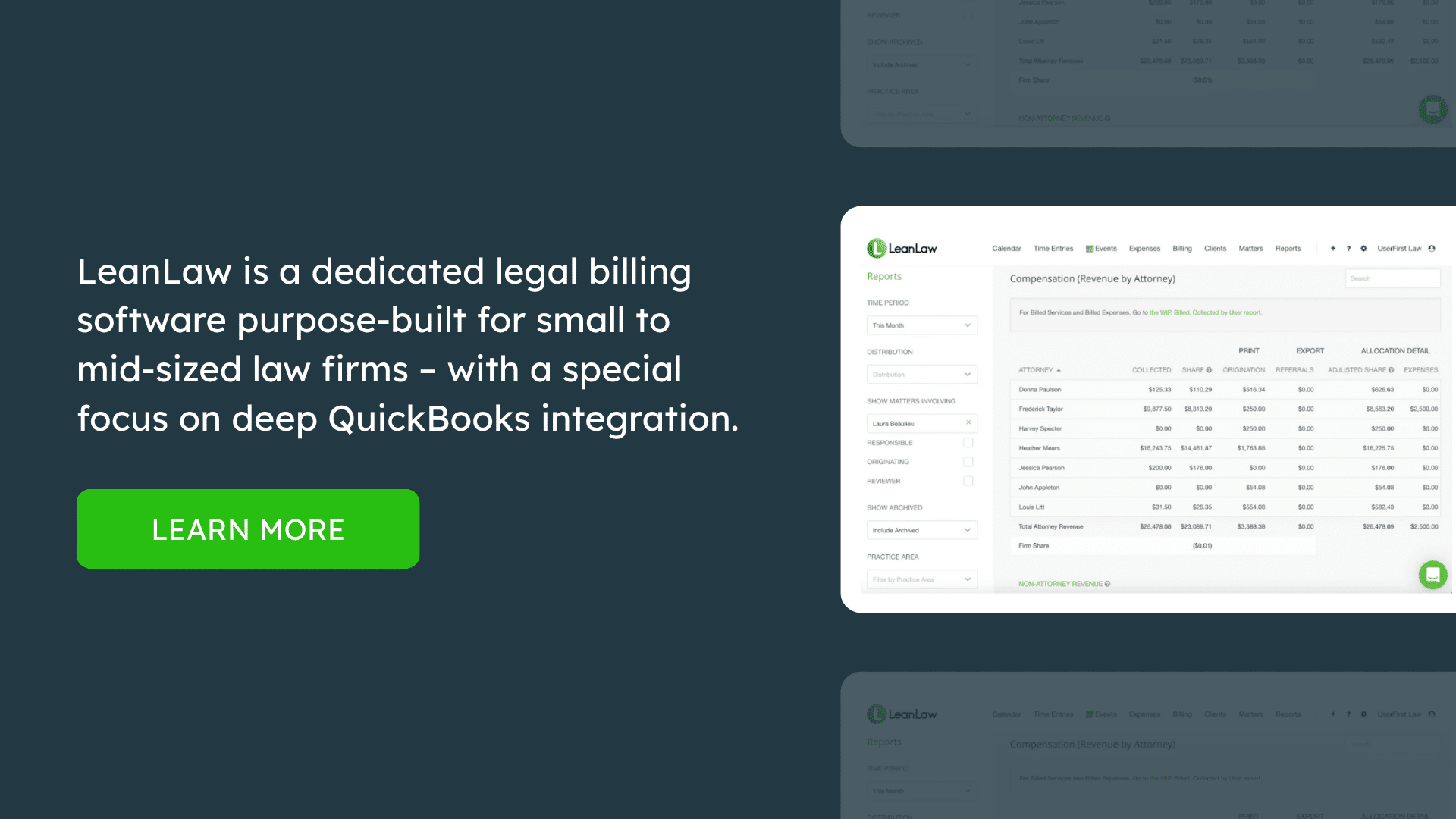
10. CaseFox
Overview
CaseFox is a cloud-based legal billing and practice management tool that is particularly known for its affordability – it even offers a free plan for solo attorneys, which has made it popular among new lawyers and very small firms. Despite its low cost, CaseFox provides a surprisingly rich feature set, including time tracking, invoicing, trust accounting, and even some case management (calendaring, document management). It’s designed to be lean and easy to use, making it a great option if budget is a primary concern or if you want a simpler solution.
For family law practitioners, CaseFox covers all the must-haves for billing and adds benefits like a secure client portal and support for multiple languages/currencies if needed. While it may not have the polish of higher-end systems, it’s continuously improving and offers excellent value.
Payment Features
CaseFox integrates with electronic payment solutions to help you get paid faster. Notably, CaseFox allows you to accept not just credit card payments via LawPay, but also payments via PayPal, which is somewhat unique. By offering PayPal, you give clients another convenient way to pay (some clients may prefer it if they have PayPal balance or just trust the platform).
Of course, credit card payments through LawPay are also available, ensuring IOLTA compliance and broad usage. CaseFox’s client portal enables clients to log in and pay invoices online. They can see their outstanding bills and choose a payment method. All online payment transactions are recorded automatically in the system, and if the payment is for a trust deposit, it will mark it accordingly.
While CaseFox might not have advanced features like automated payment plans natively within the software, nothing stops you from manually running a client’s card on a schedule using LawPay/PayPal and recording it. For many small family law firms, just having the “click to pay” link on invoices is a game changer for reducing accounts receivable.
Additionally, CaseFox provides alerts and tracking of which invoices are paid or overdue, so you can follow up as needed. If you prefer not to use electronic payments, you can still record cash/check payments manually. But given the data that law firms significantly improved collections by adopting online payments, it’s nice that even an inexpensive tool like CaseFox fully supports that capability.
Time Tracking
CaseFox offers straightforward time tracking for both billable and non-billable hours. Users can create time entries via a timer or manual input, assign them to clients and cases, and categorize them (e.g., consultation, court attendance, drafting, etc.). The interface is simple: pick the case, add a description, and duration or start/stop a timer. CaseFox’s mobile friendliness means you can track time on your smartphone or tablet through their web app (they may also have a mobile app or you can just use the browser).
This is crucial for family lawyers who are often in court or on the move. Another benefit is multiple running timers – if you’re multitasking, you can juggle timers. CaseFox also supports expense tracking and linking expenses to cases, so all billable items are captured. The platform includes some basic reporting on time, allowing you to see totals by client or by timekeeper. It’s not as in-depth as a TimeSolv report, but it covers what a small firm would need to keep an eye on productivity.
A convenient feature: if you have standard tasks, you can create activity codes or templates so you don’t have to type the description each time (for example, “Phone call with client re: status update” could be saved and reused). For solos, CaseFox’s timekeeping helps instill discipline in logging hours daily, which can directly lead to increased revenue capture.
Invoicing
Despite being low-cost, CaseFox’s invoicing functionality is solid. You can generate invoices that include all unbilled time and expenses for a matter, and you can decide on the level of detail (show each entry vs. summary). The invoices are professional-looking and can be customized with your logo and firm details. One limitation is that the templates might not be as extensively customizable as higher-end software, but they suffice for most needs.
You can also create LEDES format invoices if required, as CaseFox does support LEDES billing which is impressive at its price point. Once an invoice is created, you can send it to the client via email directly through CaseFox. The email can contain a payment link (if using e-payments) or instructions for offline payment. CaseFox’s system will track the status of invoices (sent, viewed, paid, overdue). O
ne nice thing is the ability to have multiple currencies and even bilingual invoice templates – if you happen to serve clients who need bills in another language (perhaps Spanish translations, etc.), CaseFox can accommodate that to some extent. Another feature is centralized document management – while that refers to storing case documents, it means you can also keep copies of invoices and receipts in the system for organization. If you need to apply a partial payment or a credit note to an invoice, CaseFox allows you to do that. It also supports write-offs if you decide not to charge certain entries – you can mark them as non-billable or remove them before finalizing an invoice.
For recurring matters, you can clone past invoices or set flat fee billing. All invoices can show trust account usage too (like “$X applied from trust, $Y remaining in trust”). In terms of workflow, CaseFox might not have a complex approval system – small firms usually have one person reviewing anyway – but you can always save a draft, review, and then send. Overall, it gets the job done efficiently.
Trust Accounting
CaseFox includes trust accounting features to manage client funds. You can set up one or more trust accounts and when you receive a retainer or advance fee, record it to the client’s ledger in CaseFox. The software will then keep track of that balance. When invoicing, CaseFox allows you to apply trust funds to the invoice easily (it might prompt you or you select an option to use trust funds). Once applied, it deducts the amount from the client’s trust balance and notes it on the invoice payment.
CaseFox provides a trust ledger report for each client, as well as an overall trust account report that sums all client balances. This is important to ensure you know exactly how much of your bank balance belongs to clients. If you attempt to make a disbursement or apply funds that exceed what that client has, CaseFox will prevent it (thus helping you avoid the serious mistake of over-drafting trust). It also has functionality for tracking settlement funds if you needed (like if you manage some settlements or pass-through payments).
CaseFox’s emphasis on trust is clear in that they advertise compliance and easy three-way reconciliation support. While you might still use an accountant to reconcile the bank statement, CaseFox gives you all the numbers you need: client ledgers, trust liability total, and you input the bank balance to confirm everything matches.
Another advantage: since CaseFox is simple, exporting data for an audit or review is straightforward – you can get all trust transactions in a spreadsheet or PDF to show to a regulator if needed. Additionally, because CaseFox integrates with LawPay, trust payments via credit card are handled correctly (with LawPay keeping fees out of the trust). In family law, nearly every case starts with a retainer, so even a solo needs to manage trust funds meticulously. CaseFox helps do that without needing a separate accounting software.
Cost
CaseFox’s pricing is one of its strongest selling points. They offer a Free plan for solo attorneys (typically covering one user and a limited number of active cases). This free tier is great for a lawyer just starting out or one with a light caseload. Then, their paid plans are very affordable – a Pro plan around $35 per month and an Enterprise plan around $75 per month. Importantly, these are flat rates, not per-user, if I recall correctly.
The Pro might cover 1-3 users and the Enterprise more users (the snippet suggests $35 and $75 per month, likely with some user limits). Even if it were per user, it’s still quite low. There are no long contracts, and you can upgrade as you grow. The low cost doesn’t mean lacking support – CaseFox has support and even offers data import help. For a small family firm watching expenses, CaseFox is probably the most cost-effective professional tool short of using spreadsheets (and far more efficient and safe than spreadsheets).
CaseFox is designed to be simple and intuitive. Its user interface is not the fanciest, but it’s logically organized. New users can usually get the hang of it quickly, and there are tutorials and guides available. Because it has fewer super-advanced features, there’s less to potentially confuse the user. Navigation tends to be straightforward with a menu for Clients, Cases, Time, Invoices, etc.
Many solos who don’t have an admin staff manage CaseFox themselves with no issues. One thing to note is that since CaseFox packs a lot in (billing plus some case management features) for a low cost, it may not have the depth in each area that specialized tools have. But for many, it’s “good enough” across the board. It’s also continuously updating based on user feedback.
In sum, CaseFox is an excellent choice for solo and budget-conscious family law firms that still want robust billing capabilities. It proves that you don’t need to spend a fortune to get features like online payments, trust accounting, and client portals. While a larger firm might outgrow it or require more customization, for many small practices CaseFox hits the sweet spot of price and performance.
After reviewing these ten legal billing software solutions – LeanLaw, Clio, MyCase, PracticePanther, Smokeball, CosmoLex, TimeSolv, Rocket Matter, Bill4Time, and CaseFox – it’s clear that family law firms have a wealth of options. The best choice depends on your firm’s size, budget, and specific needs:
- If your priority is deep accounting integration and trust compliance, specialized tools like LeanLaw (with QuickBooks Online) or CosmoLex (all-in-one accounting) stand out for ensuring every dollar is properly tracked. These can reduce errors and save you come reconciliation time, which is peace of mind for managing client funds.
- If you want a broader practice management suite to handle scheduling, documents, and client communications alongside billing, consider Clio, MyCase, PracticePanther, or Rocket Matter. They provide the convenience of one system for both case and billing management. MyCase and PracticePanther are often praised for being user-friendly and offering strong client portal experiences (important in family law where clients value communication).
- For firms aiming to maximize billable time capture, Smokeball’s automatic tracking and Rocket Matter’s “Bill-as-you-Work” features can help ensure no time slips through unnoticed. This can materially increase your revenue, which is worth weighing against their higher costs.
- If you’re a solo or very small firm on a tight budget, Bill4Time or CaseFox deliver essential billing and payment features at low cost (or even free for one user). They lack some bells and whistles, but they cover the bases for getting invoices out and funds in.
- Many of these solutions now include or integrate with online payment processing, which is practically a must-have. With around 78% of law firms taking credit card payments in 2023, family law clients will expect that convenience. All the listed products facilitate electronic payments (either via built-in services or LawPay integration) so you can offer clients options like credit cards, debit cards, and ACH – speeding up your collections and reducing the friction of “the check is in the mail” excuses.
- Trust accounting capabilities vary: all support basic trust ledgers, but tools like LeanLaw and CosmoLex go further with automated 3-way reconciliation, whereas others might rely on periodic QuickBooks sync. Given the ethical stakes, make sure whichever software you choose can produce the reports your state bar requires (most can generate client trust ledgers and trust account summaries). If your staff is not accounting-savvy, something with built-in safeguards (e.g., preventing over-drafts, prompts for low balances) is very helpful – many products on this list include those features.
- Ease of use and support: Family law attorneys are busy and often not IT experts, so a steep learning curve is a real barrier. Clio and MyCase have polished interfaces, but even LeanLaw and PracticePanther, which pack a lot of power, are noted for being intuitive after a short learning period. Look for products that offer dedicated onboarding and responsive customer service – user reviews frequently praise Clio, PracticePanther, and Rocket Matter support teams for example. A tip: take advantage of free trials or demos (all these companies offer them) with your actual data to see which feels most comfortable for your workflow.
- Integration with other tools: Think about what other software you use. If you live in Outlook for emails and calendar, ensure the billing software can pull those into timesheets (Smokeball, LeanLaw via QBO, etc., have Outlook tie-ins). If you use QuickBooks, a solution with a strong QuickBooks sync (LeanLaw, TimeSolv, Rocket Matter, PracticePanther) will save double entry. If you foresee needing advanced document automation or CRM, maybe lean toward a practice suite rather than a standalone billing tool.
Finally, consider the trends: The legal industry is steadily moving towards cloud-based, client-centric billing solutions. Clients now expect transparency and convenience – they want detailed bills but also easy ways to pay. Many family law clients, being individuals (not corporations), appreciate features like client portals where they can see what’s happening with their funds and case. According to the 2024 Legal Trends, firms that embraced online payments and modern billing had much higher realization of revenue. Also, with remote work and virtual hearings becoming common, having your billing accessible from anywhere (and not tied to a server in your office) is increasingly important.
Each of the software options above is capable of helping a family law firm streamline its billing process, improve cash flow, and reduce administrative headaches. By choosing the one that aligns with your firm’s needs, you’ll free up time that can be better spent on clients – which is ultimately the goal. Billing may never be the most glamorous part of family law practice, but with the right tool, it can become a competitive advantage: you’ll bill more accurately, collect more efficiently, and provide a smoother experience for your clients during a difficult time in their lives.
Finally, here’s a quick comparison table of key features for these ten solutions:
| Software | Trust Accounting | QuickBooks Online Integration | Online Payments | Pricing (per user/month) |
| Clio Manage | Yes (basic trust ledger; 3-way via QuickBooks) | Yes (one-way sync for invoices/payments) | Yes (Clio Payments integrated) | ~$49–$99 (tiered plans) |
| LeanLaw | Yes (advanced IOLTA compliance; 3-way via QBO) | Yes (real-time two-way sync) | Yes (built-in, trust-compliant) | ~$45–$60 (Core vs. Pro plan) |
| MyCase | Yes (basic trust tracking) | Yes (one-way sync to QBO) | Yes (MyCase Payments via LawPay) | ~$49–$59 (Basic vs. Pro) |
| PracticePanther | Yes (basic trust tracking) | Yes (one-way sync on higher plans) | Yes (PantherPayments via LawPay) | ~$49–$99 (multiple tiers) |
| Smokeball | Yes (robust trust features) | Yes (syncs invoices & trust to QBO/Xero) | Yes (Smokeball Payments via LawPay) | ~$49–$89 (Bill vs. Boost plans) |
| CosmoLex | Yes (full legal accounting built-in) | No need (has own accounting) | Yes (CosmoLex Pay or LawPay) | ~$99 (all-in-one plan) |
| TimeSolv | Yes (basic trust ledger) | Yes (via manual sync tool) | Yes (LawPay integration) | ~$50 (volume discounts available) |
| Rocket Matter | Yes (trust ledger & reports) | Yes (syncs data to QBO) | Yes (Rocket Matter Payments) | ~$49–$99 (Essentials to Premier) |
| Bill4Time | Yes (basic trust ledger) | Yes (one-way, limited details) | Yes (LawPay integration) | ~$27–$40 (affordable plans) |
| CaseFox | Yes (trust ledger, 3-way support) | Yes (one-way sync to QBO/Xero) | Yes (LawPay, PayPal integration) | Free solo plan; ~$35 flat (multi-user) |
FAQ: Family Law Firm Billing Software
Q1: Why is specialized legal billing software important for family law firms?
A: Family law firms deal with unique challenges like managing trust retainers, frequent billing adjustments, and clients on payment plans. General accounting software (or manual methods) often falls short on compliance safeguards – for example, handling IOLTA trust accounts properly or tracking billable time accurately. Specialized legal billing software includes features tailored to lawyers’ needs: trust accounting ledgers, legal-specific invoice formats, LEDES codes, conflict checking, and client communication tools. These tools ensure you don’t commingle client funds, you capture all your billable hours, and you present bills in a professional, transparent way that clients (and opposing parties or courts, if needed) can understand. Moreover, legal billing software can automate tedious tasks like invoice generation and payment reminders, freeing up your time. In short, it helps family law attorneys get paid faster and with less hassle – one study noted that firms using cloud-based legal billing saw invoices paid up to 70% faster thanks to streamlined workflows. Especially in family law, where clients might be emotionally stressed, having clear and fair billing through the right software builds trust and reduces fee disputes.
Q2: How does legal billing software handle trust accounting and retainers?
A: Most legal billing platforms have dedicated trust accounting features to help manage client funds held in trust. When you receive a retainer, the software records it in a client-specific trust ledger. As you bill hours, you can apply funds from that retainer to invoices with a few clicks, and the software will deduct that from the client’s trust balance. Importantly, these systems are designed to prevent common errors: for instance, they won’t let you apply more money than what’s available in the trust account for that client, helping you avoid the dreaded trust account violation. Good software (like LeanLaw, CosmoLex, or PracticePanther) will also facilitate the required 3-way reconciliation: making sure the trust ledger balances for each client, the total trust liability, and the bank statement all match. Some, like CosmoLex, even replace the need for QuickBooks by doing full trust accounting in-house. Others, like Clio or MyCase, sync trust transactions to QuickBooks so your accountant can reconcile there. Additionally, many tools send low-balance alerts or prompt you to replenish a retainer when it falls below a threshold. Given that mismanaging trust funds is one of the top reasons lawyers get disciplined, using software with these safeguards is a smart way to stay compliant. It turns the trust “tightrope” into more of a guided path, reducing risk while keeping clients informed about their retainer usage.
Q3: Can I integrate legal billing software with QuickBooks or my accounting system?
A: Yes – many legal billing software solutions offer integration with QuickBooks (and sometimes Xero or other accounting tools). The depth of integration varies:
- LeanLaw has one of the deepest QuickBooks Online integrations, with a continuous two-way sync that updates both systems in real-time. This means when you create an invoice or log a payment in LeanLaw, it’s instantly in QuickBooks, and vice versa, ensuring “one source of truth” for your finances.
- Clio, PracticePanther, MyCase, Rocket Matter, TimeSolv and others typically offer a one-way or on-demand sync to QuickBooks Online. For instance, you generate invoices in the software, then push them to QuickBooks for your accountant. Payments and trust transactions can usually sync as well. It’s not real-time, but it keeps accounting records and billing records aligned with a bit of oversight.
- CosmoLex and PCLaw (Caret Legal) take a different approach by having built-in accounting; if you use them, you might not need QuickBooks at all. They produce financial statements and handle bank reconciliations internally.
If you already use QuickBooks and have an accountant who loves it, an integration-friendly solution (or LeanLaw) is a great choice so you don’t double-enter data. If you dislike QuickBooks, an all-in-one like CosmoLex could replace it entirely. Before committing, check the integration details: is it QuickBooks Online only or Desktop as well? (TimeSolv, e.g., syncs with both QBO and QuickBooks Desktop, whereas LeanLaw is QBO-specific). Also, ask if trust account details sync or only invoices and payments – because not all integrations cover trust in depth. Overall, integrating billing software with accounting software can save a ton of time and prevent mistakes – no more manually re-entering invoices into QuickBooks or worrying that your bookkeeper might mis-post something. It’s a big efficiency gain, which is why most leading legal billing tools prioritize these integrations.
Q4: Many of these tools have client portals. What’s the benefit of a client portal for billing?
A: A client portal is a secure online hub where your clients can interact with your firm’s information – it’s like a private dashboard for their case. In terms of billing, a portal lets clients:
- View invoices online (sometimes even in real-time draft form, depending on the system).
- See their payment history and current balance.
- Check their trust account balance (so they know how much of their retainer is left).
- Pay invoices securely via credit card/ACH, because portals are usually integrated with the payment processor.
For family law clients, who are often anxious about costs, this transparency is golden. Instead of them calling or emailing, “How much do I owe so far?”, they can log in anytime and see for themselves, which can reduce misunderstandings. It also reinforces that you have nothing to hide – they see exactly what work has been done and billed. Additionally, portals often double as a communication and document exchange tool (for example, MyCase, Clio, PracticePanther portals also allow sharing documents or messages). That means a client could see an invoice and ask a clarification question right there, or you could post a billing summary or receipt that they can download for their records. Security-wise, it’s better than email – sensitive billing info and trust balance info stays protected behind login. And from your perspective, portals can speed up payment: clients see a big “Pay Now” button and can handle it immediately. Given that a large portion of clients now prefer online interactions, offering a portal puts your firm on par with modern customer service expectations. It’s like online banking but for their legal case. Most of the software we discussed (Clio’s portal, MyCase’s portal, PracticePanther, Bill4Time, CaseFox, etc.) include this feature. It can definitely elevate the client experience – feedback from firms that adopt portals often mention fewer panicky calls about bills and faster payments since implementing a portal system.
Q5: How does legal billing software assist with payment plans or collections, especially for clients who can’t pay all at once?
A: Legal billing software has evolved to help firms be more flexible and proactive in getting paid. For clients who can’t pay a large bill upfront (a scenario not uncommon in lengthy family law cases), many tools allow you to set up payment plans. Here’s how they work:
- In software like Clio, MyCase, PracticePanther, Rocket Matter, you can break an outstanding balance into installments (e.g., client will pay $500 on the 1st of each month for 6 months). The software can then either automatically charge the client’s saved card on those dates or at least remind you and the client when payments are due.
- Some systems will keep the invoice open and record partial payments until it’s fully paid. You’ll have a clear log of what’s been paid vs what’s remaining, which you can also communicate to the client.
- A statistic from MyCase’s 2024 report noted 56% of law firms offered payment plans in 2023, and among those, 48% said they collected more over the life of a case when using plans. This indicates that structured payment plans can improve overall realization (likely by making fees manageable for clients so they don’t default).
Aside from formal payment plans, billing software also aids collections by:
- Automated reminders: You can set the system to email a gentle reminder to the client when an invoice becomes overdue (7 days, 30 days, etc.). This consistent follow-up often prompts payment without you personally having to chase them.
- Late fees/interest: You can configure interest on overdue amounts in tools like Clio, Rocket Matter, etc. The software will calculate it and add it to balances, providing an incentive for clients to pay sooner rather than later to avoid extra charges.
- Collections tracking: Reports and dashboards show you which invoices are outstanding and for how long. This helps you prioritize who to contact or whether to stop work until payment (a crucial call in some cases). Seeing, for example, that a client is 90 days behind might prompt a discussion or a motion to withdraw – better to know that in real-time than let it slip.
- Some software (like MyCase) even highlights that firms using electronic payments saw big boosts in collections (e.g., a $10,000+ increase in monthly collections for 19% of firms that enabled e-payments). So, by facilitating credit card acceptance, the software indirectly helps clients pay you with financing (their credit line) if needed.
In a family law context, empathy and flexibility are key – you want to get paid, but you also know clients might be dealing with frozen accounts or financial upheaval. Having the software manage the payment schedule can remove some awkwardness (“it’s not me sending the nagging email, it’s automated”). It also ensures nothing falls through the cracks – you won’t forget that a promised second payment was due, because the system will either process it or remind you if it fails. Overall, legal billing tools make it easier to say “Yes, we can break that into payments” and to do so in an organized, professional manner that benefits both firm and client.
Q6: Our firm is small – maybe one or two attorneys – is it worth spending money on billing software, or can we get by with Excel and Word invoices?
A: While a very small practice can issue invoices manually, there are compelling reasons to invest in even an entry-level billing software:
- Time savings and fewer errors: Preparing bills by hand (or in Word) and tracking payments in Excel works when you have very few cases, but it’s tedious and prone to mistakes – like forgetting to bill something, miscalculating totals, or failing to update a ledger. Software automates these calculations and data transfers. As soon as you enter your time, it’s essentially ready to bill. This reduces unbilled work falling through the cracks. Remember, 65% of firms use online time tracking now – likely because it captures more billable time than sticky notes or memory.
- Professional image: Software-generated invoices tend to look more professional and uniform. They can include your logo, and have a consistent format that clients can get used to. A polished invoice can instill confidence that your firm is modern and detail-oriented.
- Getting paid faster: The stats we’ve cited repeatedly show that adopting online payments and software-driven workflows leads to faster payments. Clients appreciate the convenience of clicking a link and using a card. If you’re just emailing a Word invoice and asking for a check, you’re adding friction and delay. As a solo or duo, cash flow is your lifeblood – software helps accelerate it.
- Scaling and data: Today it’s two of you, but what if next year it’s three or four? Using a software from the start means your historical billing data is all in one place, and you can scale up without reinventing the wheel. You’ll also have reports to analyze your practice. For example, you might discover through a software report that a certain type of case yields poor realization (lots of hours but client ran out of retainer), prompting you to adjust your fee strategy. That insight is hard to glean from scattered Excel sheets.
- Compliance and audits: If the bar ever audits your trust accounts or a client disputes a bill, having everything in a system is a lifesaver. You can pull ledger reports, invoice histories, etc., that are systematic and timestamped. This level of record-keeping (e.g., a log that shows every time entry and who entered it) can protect you in fee disputes. It’s much harder for a client to claim you made up a charge if you have an audit trail from software.
- Low-cost options: Since you’re small, you don’t need to spend a fortune. Tools like CaseFox (free for one user) or Bill4Time (starting ~$27/month) or even Time59 (a flat $199/year for solos, not on our top 10 list but another budget option) mean cost isn’t a big barrier. For roughly the cost of one billable hour per month, you get back several non-billable hours that you’d otherwise waste on admin – it likely nets positive.
- Client expectations: In the age of Venmo, Amazon, and online everything, clients – even those not tech-savvy – are adapting to digital transactions. They might actually find it odd or inconvenient if you don’t take credit cards or if they can’t see a breakdown of their bill unless they ask. Using software aligns your firm with what clients are coming to expect.
In summary, investing in billing software is well worth it for even the smallest firm. It pays for itself by helping you capture more billable time, avoid under-billing, comply with trust rules, and get paid faster. Plus, as your practice grows (hopefully), you won’t be scrambling to implement a system under pressure – you’ll already have good habits and processes in place.
Q7: We handle sensitive family matters – is cloud-based billing software secure enough for client data?
A: Reputable legal billing software is designed with security and confidentiality in mind, often exceeding the security one might have with local storage:
- Data Encryption: Almost all cloud legal software use bank-grade encryption (typically 256-bit SSL) for data in transit, and many also encrypt data at rest on their servers. This means that even if someone intercepted the data, it would be gibberish without the decryption key.
- Secure Data Centers: Providers host data on secure servers (often via services like AWS or Microsoft Azure) which have robust physical and network security measures. There are firewalls, intrusion detection systems, and regular security audits in place. Your data is likely more secure on those servers than on a laptop or an office PC that could be stolen or compromised.
- Access Controls: You control who at your firm has access to what. For example, you can usually set roles or permissions (maybe a paralegal can enter time but not see trust account balances, etc.). Clients accessing portals have to authenticate with passwords, and some systems allow two-factor authentication for extra protection.
- Confidentiality Compliance: Most legal software companies are familiar with obligations like attorney-client confidentiality and will sign BAAs or confidentiality agreements if needed. They also often comply with standards like SOC 2 or ISO27001 for security practices, which is a good sign.
- Backup and Redundancy: Cloud software typically backs up your data regularly and has redundancies. So, your data is safe from local disasters – if your office computer crashes or there’s a fire, your billing records are still accessible from another device since they’re in the cloud. In a family law context, imagine losing all your time records for active cases due to a computer crash – cloud software mitigates that risk with automatic backups.
- Ethical duty of technology competence: The ABA and many state bars have guidance now that lawyers should understand the tech they use. Choosing a well-known legal-specific cloud product is generally considered a reasonable step, and many state bars have even approved or endorsed certain cloud vendors for lawyers. The key is to do due diligence – ensure the vendor has proper security measures (which the major ones do and often publicly document). For instance, Clio, MyCase, etc., provide security whitepapers and mention features like data encryption and two-factor auth in their resources.
- Client comfort: Some clients might worry about their financial or personal details being online. You can explain that using a secure portal is actually safer than email (which can be hacked or intercepted). With the portal, their information is protected behind a login and not sitting in an inbox. Educating them on the security features can ease minds.
In practice, a breach is far more likely through poor password management or phishing than through a failure of the software’s security. So, you should use strong passwords and enable any available 2FA for your account. But the software itself is typically highly secure. To date, there haven’t been publicized incidents of major legal billing platforms being hacked and leaking client data. Meanwhile, plenty of law firms have lost data to malware or lost laptops. So yes, cloud-based billing software is sufficiently secure when used properly, and arguably provides better security and resilience than many law offices can achieve on their own. Always review the provider’s security FAQs and perhaps opt for ones with a track record in the legal industry (all the ones listed here qualify).
Q8: How do I choose the best billing software for my family law firm’s specific needs?
A: Choosing the right software can feel daunting, but you can break it down into steps and key considerations:
- Identify Your Priorities: Make a list of what matters most to your firm. Is it cost because you’re on a tight budget? Is it ease of use because you don’t have IT staff? Is trust accounting the top concern due to heavy retainer use? Do you need integration with something (QuickBooks, Office 365, etc.)? For instance, a firm with an outsourced bookkeeper might prioritize QuickBooks integration, whereas a solo might prioritize simplicity and price.
- Feature Comparison: Look at the features side by side. Our evaluation above covered: Payment processing, Time tracking, Invoicing, Trust accounting, Integrations, Client portal, Support, and Cost for each. If you need a client portal and you’re between options, ensure the ones you consider have that. If you handle a volume of cases and need batch billing and robust reports, maybe lean toward ones known for those (TimeSolv, Clio, etc.). If you do flat-fee divorces or collaborative law cases often, see how each handles flat fees or unbundled services.
- Consider Firm Size & Growth: Some software fits certain sizes – e.g., CaseFox is great for a solo, but a 10-lawyer firm might outgrow its simplicity and want something like Clio or LeanLaw with more reporting and multi-user features. Think about where you expect to be in 2-3 years. It’s not just about now, but also a tool that can grow with you (or at least export data nicely if you later upgrade).
- Trial/Demo the Shortlist: Almost every vendor offers a free trial or live demo. Use those trials with real scenario: try entering last month’s time entries into it, generate an invoice, simulate receiving a payment, do a trust deposit – see how intuitive (or not) it is. Involve the person who will use it most (you, your assistant, etc.). Pay attention to the user interface: do you like the layout and workflow? Is it fast enough in the cloud? How’s the mobile app experience (if you need mobile)?
- Customer Support and Training: During the trial, perhaps contact support with a question and see how responsive and helpful they are. This can be a proxy for the help you’d get as a customer. Also, check if they have training materials – videos, knowledge base articles. Some companies (like PracticePanther, Clio) have extensive resource centers, which is handy when learning the software.
- Budget Honestly: Calculate the true cost. Some have monthly fees per user; others give discounts if paid annually. Don’t forget to factor in that integrated payments sometimes have their own costs (though generally just the transaction fees). If Software A saves you 5 hours a month over Software B, that time is money – sometimes it’s worth paying a bit more for a tool that’s super efficient or enjoyable to use. That said, there are quality options at every price point, as we’ve seen.
- Read Reviews/Ask Peers: Look at recent reviews from other law firms, especially small firms or those in family law. See if any mention specific pros/cons that resonate with your situation. You could even ask in a forum or a bar association group (“What billing software do you use and what do you like/dislike about it?”) – lawyers are often happy to share their experiences. You might discover, for example, that a particular software’s QuickBooks sync is one-way and not two-way, which might matter to you.
- Ensure Data Portability: Finally, verify that if you choose one and later need to switch, you can export your data (clients, invoices, etc.) in a usable format. Most allow exports to CSV or similar. This ensures you’re not locked in if your needs change.
By carefully evaluating these factors, you’ll likely find one or two options that clearly fit best. The “best” software is one that you and your team will actually use consistently. The fanciest program is worthless if it’s too confusing to adopt. On the other hand, a simple program that you use diligently can transform your billing process. So lean towards the one that feels like a good workflow fit for your day-to-day. All the products we listed are credible – it’s about finding the one that aligns specifically with your firm’s practice style and needs. Good luck!

